
Most televisions announce themselves. They sit on a console, surrounded by cables and remotes, and the moment they turn off they become a black rectangle that reads as an interruption in the room. Samsung's The Frame Pro exists to undo all of that. I mounted the 65-inch Frame Pro LS03HW on a living room wall for three weeks, and the most honest summary is that I stopped thinking of it as a television within a few days. It became a painting that happens to switch to a screen when I want it to, and it does both jobs better than anything I have tested.
Before the details, the standard note. This article contains affiliate links. If you buy through one of them, the site earns a small commission at no extra cost to you, and that never changes what I test or what I recommend.
Design and Build
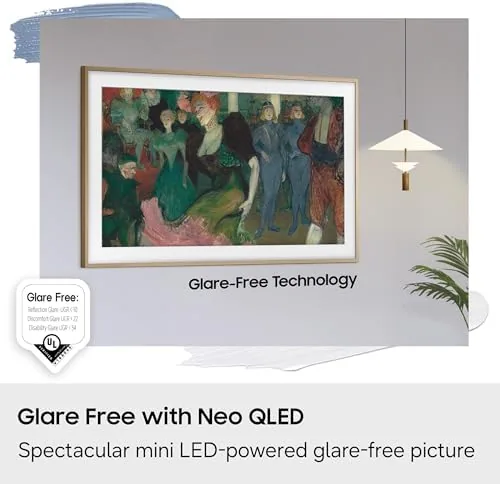
The Frame Pro is built around a simple idea: the front should look like a framed picture. The panel sits in a thin, furniture-grade bezel, and the matte screen has a fine, paper-like texture instead of the glossy glass television owners expect. In a bright room the effect is convincing, because the surface catches light the way a print does, softly and evenly, rather than bouncing a glare back at you.
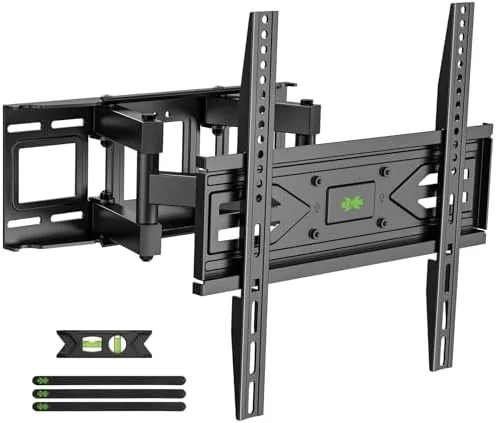
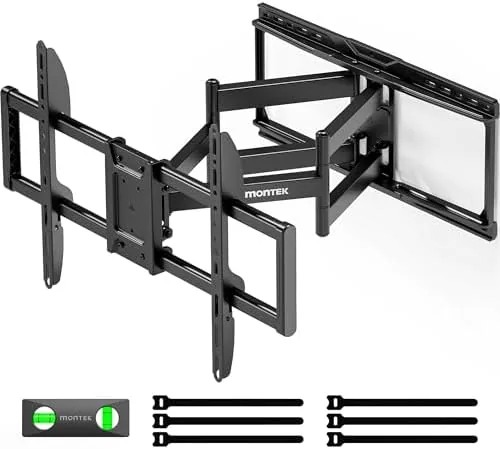
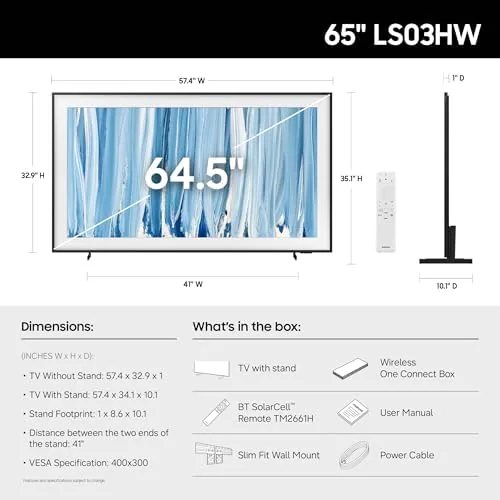
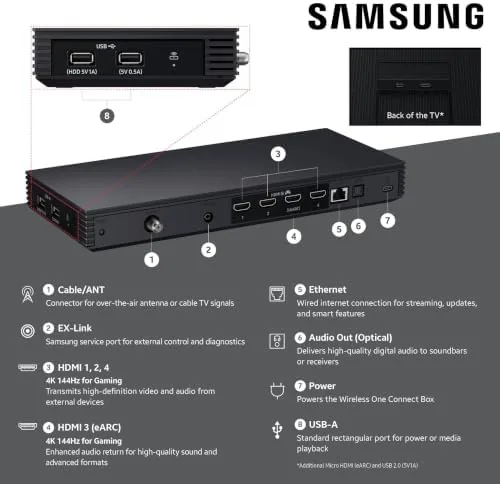
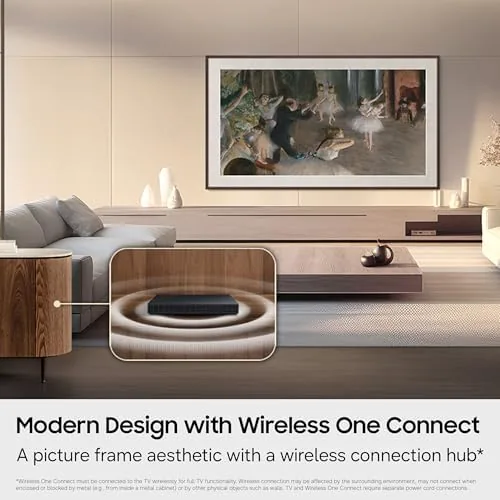
The included slim fit wall mount does the important work. The panel hangs almost flush against the wall, which removes the floating-slab look of a typical mount and makes the television read as part of the architecture. The Wireless One Connect box handles all the cables: the panel connects to a separate unit through a single thin wire, so the wall behind the frame stays clean, and all your HDMI devices plug into the box instead of the screen. It is the tidiest installation I have done in years.

Key Features
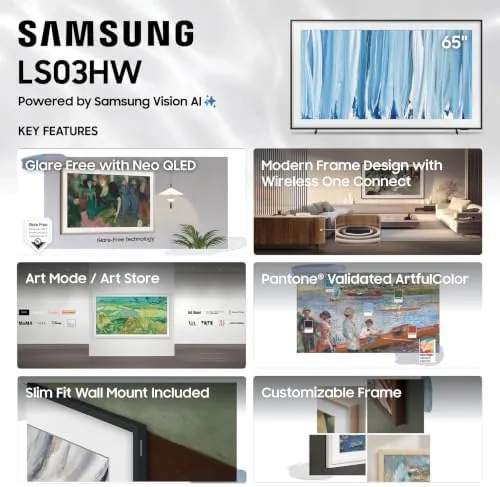
Art mode is the headline, and it is genuinely good. When the set is idle, it displays paintings, photographs, or a rotating gallery of art that stays on screen like a real hanging piece. The motion sensors can wake the art when someone walks into the room and dim it when the room is empty, which keeps the feature from wasting energy. A collection of curated artwork comes with the television, and you can add your own photos or art from Samsung's library.
Under the art, this is a real Neo QLED television, not a lifestyle gimmick. The Mini LED backlight with quantum dots delivers Samsung's 100 percent color volume claim in practice, the matte finish doubles as a glare-free screen for daytime television, and the 4K picture is powered by the same class of processing as Samsung's mainline sets. Alexa is built in, and the Vision AI features tailor the picture to the content on screen.
Real-World Performance
For three weeks I treated the Frame Pro as the living room's only screen, and it surprised me at every turn. The matte screen made afternoon television a pleasure: a window across from the panel produced no mirroring, and colors held their depth in full daylight. When I put on a nature documentary, the Neo QLED panel delivered punchy, saturated color and bright highlights, a reminder that The Frame is not trading picture quality for looks.
Art mode became the feature I miss most when I return to a normal television. A favorite landscape photograph from my own library rotated through the gallery, and guests consistently mistook the display for a framed print, which is the entire point. The motion-sensing wake worked reliably, and the set used remarkably little power sitting idle in art mode.
The picture side held up through films, sports, and streaming. Black levels are strong for a Mini LED set, contrast is confident, and the upscaling kept older streams crisp. Gaming is competent at 120Hz with variable refresh rate, which covers most console play, even if it does not match the gaming headroom of Samsung's S90H OLED line. For a living room screen, that trade is the right one.
Pros and Cons
Pros:
- Art mode is convincing enough to replace a wall print
- Matte, glare-free screen for bright rooms
- Wireless One Connect keeps the wall free of cables
- Slim fit wall mount included in the box
- Genuine Neo QLED picture, not a lifestyle compromise
Cons:
- Premium price over a comparable non-Frame television
- Gaming refresh capped at 120Hz
- Art subscription library costs extra beyond the basics
How It Compares
The Frame Pro asks a different question than a normal television, so I compared it against Samsung's 65-inch S90H OLED and the standard The Frame to show what the Pro adds.
| Feature | Frame Pro 65 | S90H OLED 65 | The Frame 65 |
|---|---|---|---|
| Panel | Neo QLED | OLED | QLED |
| Art mode | Yes, motion-aware | No | Yes |
| Wireless One Connect | Yes | No | Yes |
| Black levels | Excellent | Per-pixel | Good |
| Best for | Decor-first homes | Serious movie viewing | Budget Frame buyers |
Against the S90H OLED, the Frame Pro gives up some contrast and gaming headroom, but it gains the entire art-mode presence that makes it a wall decoration rather than a screen. Against the standard The Frame, the Pro adds the brighter Neo QLED panel and the wireless connection box, which together justify the step up. If the television sits in a room where it is always visible, the Frame Pro is the better buy, and the current price for The Frame Pro 65 on Amazon is worth checking during seasonal sales.
Who Should Buy It
Buy The Frame Pro 65 if the television lives in a room where it is always in view, if you want it to double as decor rather than dominate the space, or if you have tired of black screens and cable clutter. It is the right television for design-conscious living rooms, entryways, and open-plan spaces.
Skip it if you want absolute black levels for a dedicated movie room, or if a wall mount is not part of your plan, because the look depends on a flush install. For everyone else, this is the rare television that makes a room feel more finished. You can see The Frame Pro 65 listing on Amazon for current bundles and delivery options.
How We Test
I mounted The Frame Pro 65 on a wall with the included slim fit mount, ran the Wireless One Connect box through a receiver, and lived with the set for three weeks as my only television. I tested art mode in bright and dim light, verified the motion wake and sleep behavior, and watched films, sports, and streaming while monitoring how the matte screen handled a window across the room.
I did not run a full lab calibration, so peak brightness claims come from Samsung's published specifications. For a technical take on the Neo QLED platform, Tom's Guide's best 4K televisions roundup is a useful independent reference. The official Amazon listing for The Frame Pro 65 has the complete specification sheet and current pricing.
65-Inch The Frame Pro: Questions People Ask
What is The Frame Pro?
It is a Samsung television designed to look like framed art when it is idle, with a matte screen, a thin bezel, and an art mode that rotates paintings, photographs, and personal images on the display.
Does The Frame Pro come with a wall mount?
Yes. A slim fit wall mount is included, so the panel sits almost flush against the wall, which is the look the product is built around.
What does Wireless One Connect do?
It moves all the inputs and connections into a separate box that links to the panel with a single thin wire, so the television itself keeps a clean, frame-like face with no visible cables.
Is the matte screen good for bright rooms?
Yes. The glare-free matte finish scatters light instead of reflecting it, which makes both art and daytime television look even and comfortable to view.
As an Amazon Associate, I earn from qualifying purchases.