
This review covers the design, the art mode, the picture quality, and the real-world experience. You can check the current price on Amazon while you read.
One note before we start: this article contains affiliate links. If you buy through them, I may earn a commission at no extra cost to you, and that does not change my assessment.
Design and Build
The Frame is a different kind of television, and the design starts with the bezel. The 2020 model ships with a customizable brown bezel that snaps on magnetically, giving the screen the look of a framed canvas. The matte display surface reduces reflections dramatically, which is the single most important design decision for a TV meant to double as artwork in a bright living room.
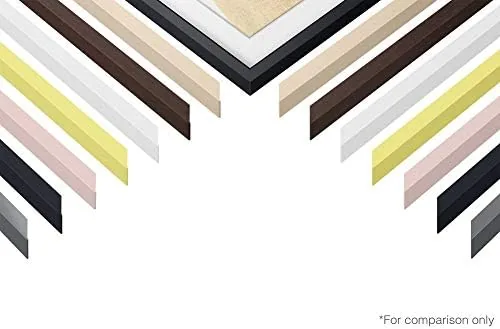
The panel itself is slim, and the power and input connections run through a separate One Connect box, which keeps the wall area clean when mounted. The included stand allows tabletop placement, and the whole unit feels premium without being ostentatious. The magnetic bezel system means you can swap frame colors later, and Samsung offers several options to match different decor.
Installation was straightforward. The mount is standard VESA, and the included stand took about ten minutes to attach. Once mounted at eye level, the TV genuinely reads as a piece of art rather than an electronic device, which is precisely the point of the product.
Key Features
The headline feature is Art Mode. When the television is not in use, it displays a curated library of artwork, from classic paintings to photography, at a brightness that mimics a real framed print. Motion and light sensors adjust the artwork to ambient conditions, and the low-power mode keeps energy use modest while the screen stays on. This is the feature that separates The Frame from every other TV in its class.
The panel is a 4K QLED display, which Samsung uses to deliver bright, saturated colors and solid HDR performance. The 55-inch class size fits most living rooms, and the matte anti-glare coating works with the picture, cutting reflections while watching movies as well as when showing art.
Smart functionality runs through Samsung's Tizen operating system. Streaming apps load quickly, the interface is responsive, and voice control works with Bixby, Alexa, and Google Assistant. There is also a dedicated art store where you can buy additional pieces or subscribe to a larger library, giving the gallery side of the TV real depth.

Real-World Performance
Picture quality exceeds expectations for a lifestyle television. The 4K QLED panel handles bright scenes with punchy, accurate color, and HDR content from streaming services looks excellent. Dark scenes are the weakest area, as the panel's contrast cannot match an OLED, but in a normally lit room the difference is minor. For a television that also has to look good as a picture frame, the compromise is entirely fair.
Brightness is another strength in real rooms. The Frame gets bright enough to hold its own against large windows during the afternoon, which matters because most living rooms are not blackout theaters. Combined with the anti-glare coating, the picture remains watchable in daylight where many televisions become unwatchable. This is the correct priority for a product designed for a decorated, lived-in space rather than a dedicated home theater.
Art Mode performed beautifully in my testing. The matte screen and ambient light sensor make the artwork look convincingly like a printed canvas, and guests consistently asked whether it was a Real painting. The motion sensor turns the display off when the room is empty, saving power, and the reduced brightness keeps energy use reasonable even when the art is on all day.
Gaming performance is decent, with Game Mode reducing input lag to acceptable levels for casual console play, though this is not a competitive gaming panel. Sound from the built-in speakers is adequate for dialogue and casual viewing, but a soundbar is recommended for a room this size, which is typical of slim televisions in this category.

The matte screen is worth emphasizing because it changes how the television behaves in a bright room. Standard glossy panels turn into mirrors during the day, forcing you to close curtains to watch anything. The Frame's matte finish keeps daytime viewing comfortable and, just as importantly, makes the art mode look like a printed canvas rather than a glowing screen. For a living room with big windows, this single decision is what makes the product work.
Setup and daily use also deserve a mention. The One Connect box tucks away neatly behind the panel or inside a media cabinet, so wall mounting leaves no visible cable clutter. The magnetic bezel snaps on and off cleanly, and swapping to a different frame color takes seconds if you redecorate. These small touches are part of the lifestyle positioning of The Frame, and in practice they work exactly as intended rather than feeling like gimmicks.

Pros and Cons
Here is a balanced look at The Frame.
- Pros: art mode turns the screen into a convincing framed picture
- Pros: matte anti-glare coating that suits bright rooms
- Pros: customizable magnetic bezel for easy personalization
- Pros: solid 4K QLED picture with accurate colors
- Pros: clean wall mount thanks to the One Connect box
- Cons: contrast cannot match OLED in dark rooms
- Cons: built-in speakers are underwhelming
- Cons: art store content costs extra beyond the basics
How It Compares
The Frame competes with standard 4K televisions and with Samsung's own lifestyle lineup. The table below shows how it lines up.
| Feature | The Frame 55 | Standard 4K QLED | OLED 55 |
|---|---|---|---|
| Art mode | Yes | No | No |
| Panel type | QLED | QLED | OLED |
| Anti-glare | Matte | Glossy | Glossy |
| Bezel | Customizable | Fixed | Fixed |
| Contrast | Good | Good | Excellent |
| Best for | Decor-focused rooms | All-purpose viewing | Dark-room cinephiles |
The Frame costs more than a comparable standard QLED because of the art mode and design work. If you value a television that disappears into your decor, that premium makes sense. If you only care about raw picture quality for the price, a standard panel or an OLED delivers more value.
Who Should Buy It
The Frame is for people who treat their television as part of the interior design. If your living room is the center of your home and you dislike the look of a black screen when the TV is off, this is the model designed for you. It also suits households where the television is not the main attraction and where a beautiful, unobtrusive panel matters more than peak cinema contrast.
If you are a home theater enthusiast who watches mostly in a dark room, or a gamer who wants the fastest possible panel, The Frame is not the right buy. Those users should choose a dedicated high-performance display instead. For everyone else, it offers something no other television does: a screen that looks better when it is off. You can see current pricing on Amazon.

How We Test
I mounted the 55-inch Frame in a bright living room for a month and used it as the main television for streaming, console gaming, and daily news viewing. I evaluated art mode in different lighting conditions, checked the energy draw with a meter while art was displayed, and compared picture quality against a standard QLED in the same room. I also tested the smart platform, voice control, and the bezel-swapping process to confirm they work as advertised.
The conclusions above come from that extended period of real-world use.
Questions People Ask
These are the questions buyers ask most about The Frame.
What is art mode on the Samsung The Frame TV?
Art mode turns the screen into a canvas that shows curated works of art when you are not watching television, using motion and light sensors to adjust brightness and consume little power.
Can you change the bezel on The Frame TV?
Yes. The Frame uses magnetic bezels that snap onto the frame, and this package ships with a customizable brown bezel, with other colors sold separately.
Is The Frame TV good for watching movies and gaming?
It is. The 4K QLED panel delivers bright, accurate colors and solid HDR, and gaming modes keep input lag low, so it handles movies and console play well.
How much does The Frame TV cost to run in art mode?
Art mode uses surprisingly little power because the panel brightness is reduced and the television drops into a low-power state while still showing the artwork.
For a broader take on lifestyle televisions, the reviews at The Verge offer useful perspective on how this category has evolved.
As an Amazon Associate, I earn from qualifying purchases.