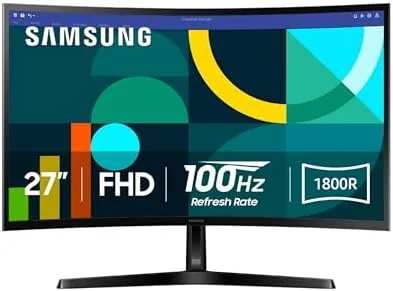

The Best monitor is usually the one you stop noticing. It should frame your work and your games without complaining, sit at a price that does not make you defend it, and quietly improve everything you put on it. This Samsung 27 S3 monitor review is the record of a fortnight with the Essential S3 (S36GD) curved panel on a real desk, and the honest verdict is that it does that disappearing act better than this budget's reputation suggests.
Before I begin, this article contains affiliate links. If you buy through one, the site earns a small commission at no extra cost to you, and it does not change what I work or game on or what I write.
Design and Build
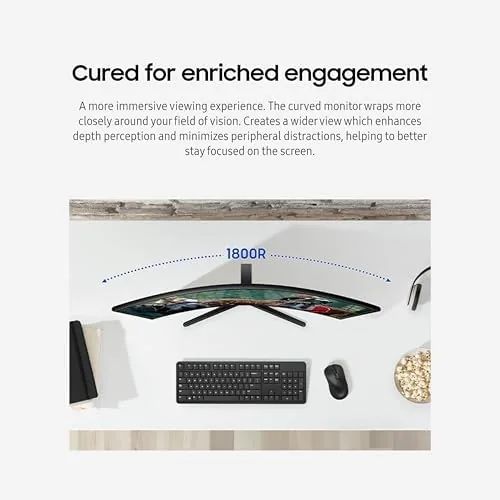
The S3 is a handsome piece of desk furniture. The 1800R curve wraps the 27 inch panel toward you in a gentle arc, giving the screen a cinematic width without the aggressive bend of the curved ultrawide. The bezels are slim on three sides, so it reads as modern rather than the thick-framed budget look of a few years ago, and the whole assembly feels stable on the supplied stand.
Build quality is simple but adequate. The stand offers a reasonable range of tilt, and I found the height and the curve combination comfortable after a little adjustment. There is no height-adjustable arm in the box, but the panel takes a standard VESA mount, so a monitor arm or a wall bracket is easy if your setup needs it. The On Screen Display and the control buttons sit at the lower right edge and are easy enough to reach without a manual.
Key Features
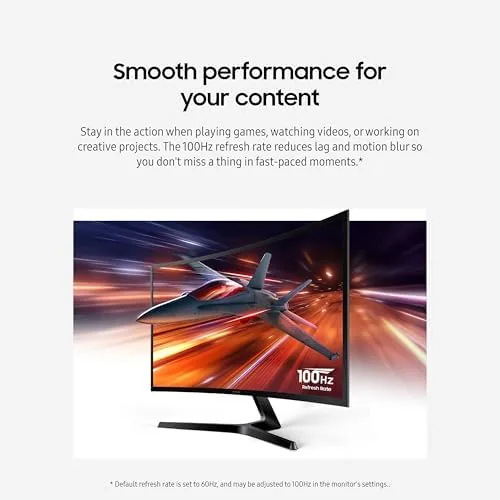
The headline on the box is the 100Hz refresh rate, and it is the feature that changes the feel of the desk. Most budget monitors settle for 60Hz, and the jump to 100Hz smooths the scrolling, the cursor, and light movement in a clearly noticeable way. For a panel at this price, that is genuinely the selling point over older models.
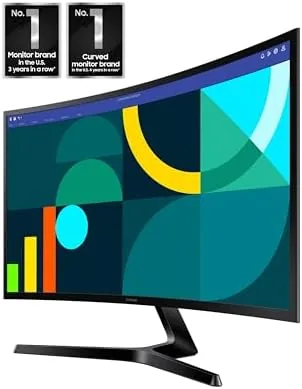
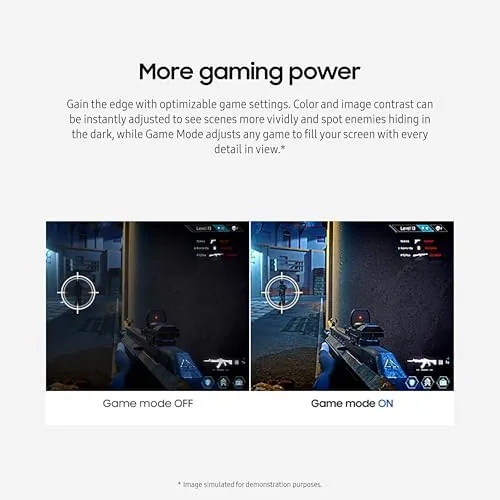
The panel is a full HD 1920 by 1080 at 27 inches, so it is spacious and sharp enough for a single desk screen, and the 1800R curve is the reason it feels so good. The Advanced Eye Comfort feature pairs a flicker-free backlight with a low blue light mode, which genuinely helps when you sit against the monitor all day. There is a Game Mode that boosts the color and the response for gaming, and the usual picture presets for standard, cinema, and text that sit one tap away.
The inputs are the one caution. You get an HDMI port and a D-sub (VGA) input, which covers a modern computer and an older device, but there is no DisplayPort and no USB hub, so you plug the laptop directly into the HDMI. For a single video source, and that is most of us, this is a perfectly serviceable arrangement.
Real-World Performance
Here is where the box contents give way to two weeks of actual work. As a daily driver the S3 is remarkably easy to live with. The 1800R curve wraps the 27 inches into your peripheral vision, so your eyes travel less when reading across a line, and the 100Hz refresh keeps the cursor and the scroll so smooth that I stopped noticing the hardware, which is the highest compliment a monitor gets from me.
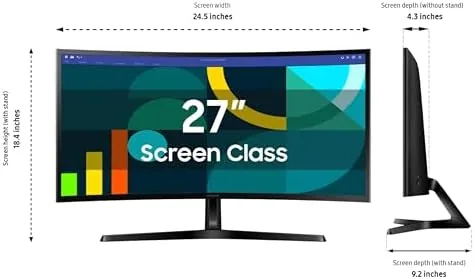
Text and spreadsheets look clean. Full HD at 27 inches is not the razor-sharpest, with a slightly larger pixel, but at a normal desk distance the type stays readable and the antialiasing never jumps, and the eye comfort mode made long sessions noticeably easier on me by the end of the week. The brightness and the color out of the box are fine for a work screen, needing only a small calibration once to sit just right.
For gaming, the 100Hz is the good surprise. Fast, frantic action is not as smooth as a 240Hz panel, but it is a clear league above 60Hz and made the racing and the first person feel capable at a budget price. The Game Mode nudged the color up toward a punchier look, and at 1080p the frame rate stayed comfortably high.
I will offer an honest word on the limits. At this resolution and size the pixel density is not going to match the sharpness of the text of a 1440p panel, and there is no DisplayPort and no built-in speakers. Colors are warm and fine for work but not a professional level display. For a general desk, none of these stopped me; they simply set the honest ceiling of what the S3 is priced to be.
Pros and Cons
Pros:
- Smooth 100Hz refresh at a budget price
- Gentle 1800R curve that improves desk feel
- Slim bezels and a modern, stable design
- Advanced Eye Comfort eases long sessions
- Plenty of screen for the money in the full HD segment
Cons:
- Full HD is softer than 2K at 27 inches
- Only HDMI and D-sub inputs; no DisplayPort
- No built-in speakers or USB hub
- Limited adjustment in the basic stand
How It Compares
The natural comparison is the flatter budget 27 full HD monitor, such as the older Samsung and the LG at the same price, which deliver a straight perpendicular screen at 60Hz for a little less. The S3 costs a small Premium for the curve and the 100Hz refresh, and for most desks that is worth it. The curve is the highlight.
| Feature | Samsung 27 S3 | Flat 27 FHD |
|---|---|---|
| Panel shape | 1800R curved | Flat |
| Refresh rate | 100 Hz | 60 Hz |
| Resolution | 1920 x 1080 | 1920 x 1080 |
| Inputs | HDMI and D-sub | HDMI and VGA |
Against a 27-inch 1440p panel the S3 loses on pixel sharpness, but it wins on price, the curve, and the refresh at a fraction of the spend. The honest verdict is that the 1080p S3 is the sweet spot if you care about desk feel and frame rates over the raw sharpness of a 2K panel.
Who Should Buy the Samsung 27 S3
Buy it if you want one monitor that makes a desk quietly better for work and light to moderate gaming without spending a fortune. The curve and the refresh feel good for long days, the eye comfort is a real asset for people who sit at the screen, and the price keeps it a tempting primary screen for a laptop or a second screen for a desktop.
Skip it if you are a serious 4K photo editor or a competitive gamer who needs a 240Hz esports panel, or if you want 1440p sharpness and a USB hub; those matter more than the curve for you. You can check the current Samsung 27 S3 price and options on Amazon when you are ready.
How We Test
For two weeks the Samsung S3 curved panel was my only office screen, doing the spreadsheet, web, video, and gaming duty that I use every day. I judged it on the refresh, the curve, the long session comfort, the color out of the box, and the honest limits of the resolution and the connectors.
I compared it side by side with a flat budget 27-inch panel so the verdict reflects desk time rather than the spec card. Independent testing elsewhere, such as RTINGS on the Samsung S36GD line, agrees that these panels are a solid, affordable choice at the price and the refresh.
If you are outfitting a new corner of the office, my keyboard and mouse reviews can round out the desk with the monitor. When you are ready, the Samsung 27 S3 monitor listing on Amazon shows the current price and bundles.
Samsung 27 S3: Questions People Ask
Is 1080p too low for a 27 inch monitor?
Not for general use. The full HD panel is a little softer than a 2K at this size, but for work and media the text reads cleanly and the refresh makes it feel smooth, so the resolution is a fair trade for the price.
Is 100Hz good for gaming?
Yes for modest and moderate gaming, it is a clear step above 60Hz and felt smooth in my racing and shooter; the frame budget is comfortable at 1080p. If you are a competitive esports player, you would want a faster panel.
Does the curve help or hurt for office work?
It helps for a single monitor. The gentle 1800R curve wraps the screen around you and did not warp the lines in my documents. If you run three monitors as an array, a flat panel likely balances the whole setup better.
Is the Eye Comfort feature worth having?
Yes. The flicker-free panel and the low blue mode genuinely reduced my strain and I felt the difference by the end of a long day. For anyone at a screen for hours, it is a real reason to pick this model.
As an Amazon Associate, I earn from qualifying purchases.