
Most Robot Vacuums under three hundred dollars promise more than they deliver. They bump around the room, miss the edges, and get wedged under the couch by the third day. The Roborock Q5 Pro takes a different approach. It brings the same LiDAR navigation found in Roborock flagship machines down to a mid-range price, and it pairs that mapping brain with 5500 Pa of suction and a DuoRoller brush. I ran this Vacuum and Mop combo through a full month of daily cleaning in a two floor home, and this review records what it actually did on carpet, hard floors, and around the furniture.
Before the details, the standard note. This article contains affiliate links. If you buy through one of them, the site earns a small commission at no extra cost to you, and that commission does not change what I test or what I write.
Design and Build
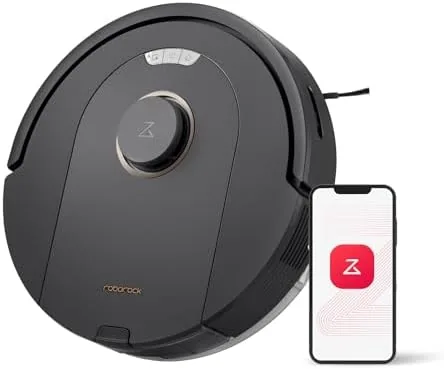
The Q5 Pro is a round black disc with a low profile that slides under most sofas and sideboards without a second thought. The top houses the LiDAR turret that spins as the robot maps, and the front carries the sensors that keep it from slamming into legs and walls. It is a familiar shape for anyone who has used a Roborock before, and that familiarity extends to the quality of the finish. The plastic feels solid, the dustbin clicks out cleanly, and the rubber wheels grip without leaving marks on laminate.
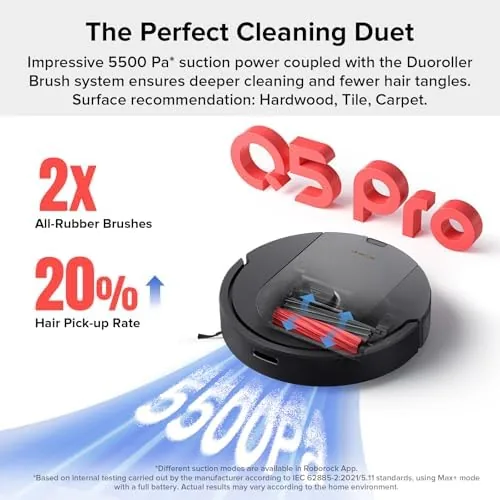
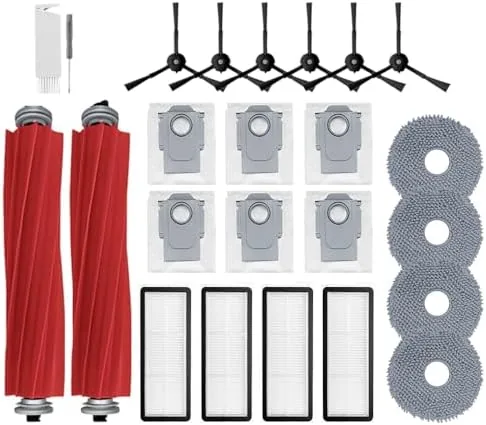
The DuoRoller is the design detail that matters. Two rubber rollers turn in opposite directions under the main body, and together they lift debris and send it into the 470 milliliter dustbin. Two rollers double the surface area doing the lifting, which is exactly why the Q5 Pro punches above its class on carpets. The mop attachment is a small water tank with a pad that you clip to the rear, a deliberately simple arrangement that keeps the price down and the maintenance low.
Key Features
The headline number is 5500 Pa of suction, a figure that used to belong to flagships. The Q5 Pro uses that power with the DuoRoller brush to dig dirt out of carpet pile, and on hard floors it does not scatter debris ahead of itself, a problem that plagues cheaper vacuums with single bristle rollers.
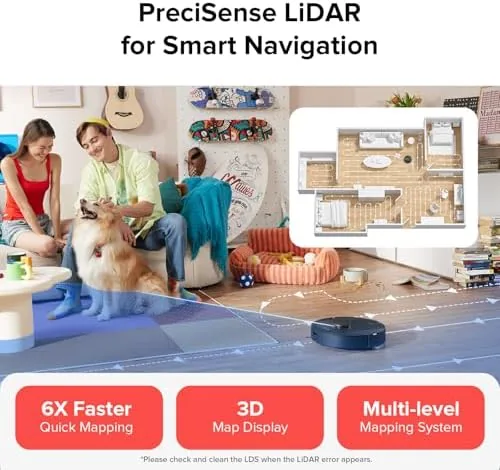
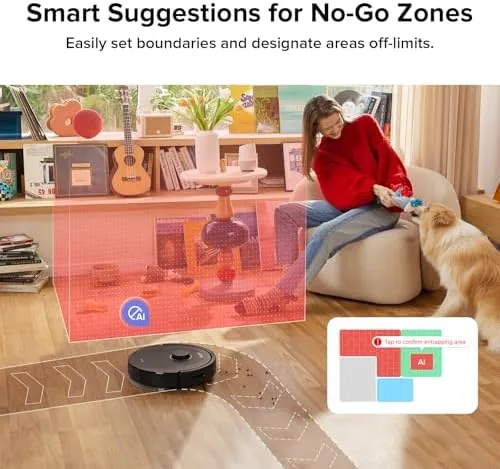
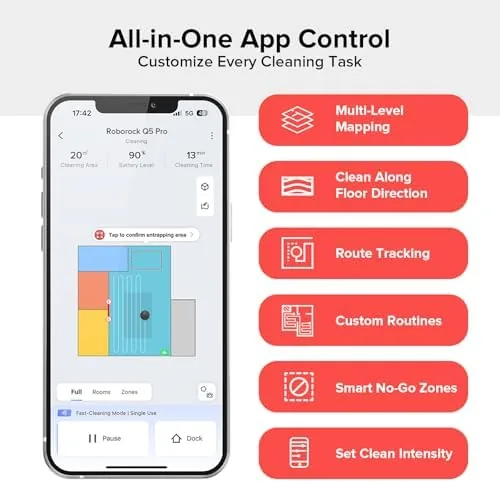
Navigation is the other half of the story. The LiDAR sensor spins while the robot makes a single pass through the home and builds a map in minutes. That map supports 3D mapping, room selection, and smart no-go zones, so you can draw a box around the dog bowl or the Christmas tree and trust the robot to stay clear. The app remembers the layout between runs, which means the Q5 Pro cleans in straight, efficient lines instead of wandering.
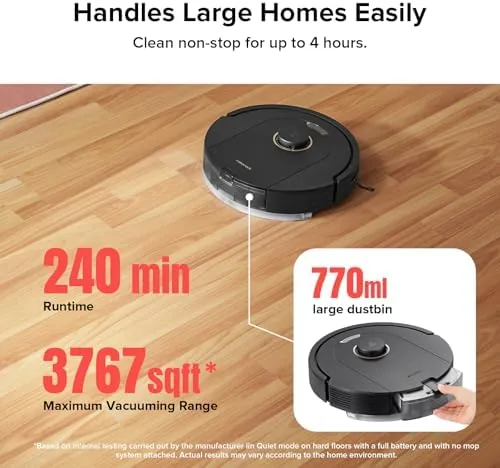
Battery life rounds out the spec sheet. Roborock rates the Q5 Pro for up to 240 minutes on a single charge, which is enough to cover a large floor plan in one session. The robot returns to its dock when it runs low, recharges, and resumes where it left off, so a big home gets finished even when a single charge cannot do it all.
Real-World Performance
The map was the first thing that impressed me. The Q5 Pro scanned my main floor in under five minutes, and the layout it produced matched the real rooms almost perfectly. From that point I could send it to the kitchen alone, set a no-go zone around the pet bowls, and schedule the whole floor for seven in the morning. In a month of use it did not get lost once, and it found its dock every single time. That reliability is the reason a robot vacuum either becomes part of your routine or gets returned, and the Q5 Pro earned its place.
Cleaning power backed up the navigation. On a medium pile area rug, the Q5 Pro pulled up dog hair and tracked in dirt that my previous robot had left behind, and the two rubber rollers came away with only a light dusting of wrapped hair. Hard floors came out clean on the first pass, and the robot did not fling crumbs under the baseboard, which is a fault I have seen in vacuums at this price. The 5500 Pa suction is not marketing talk; it is audible in the way the brush stall briefly on a stubborn corner and then wins.
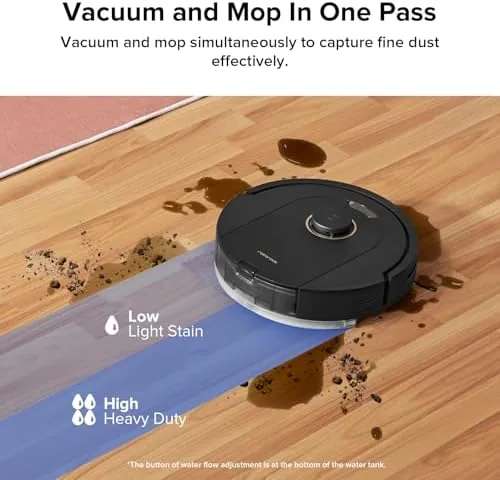
The mop is the honest weak point, and I will not pretend otherwise. The Q5 Pro is a vacuum first and a mop a distant second. The small water tank and single pad swipe at the floor rather than scrub it, so it handles light dust and everyday stickiness but will not lift dried stains or deep kitchen grime. As a daily maintenance wipe between real moppings it is fine; as a replacement for a dedicated mop it is not. Buy it expecting a great vacuum that can give floors a light refresh, and you will not be disappointed.
Noise is a pleasant surprise. The Q5 Pro runs noticeably quieter than the budget robot it replaced, and at max suction it is still conversation friendly. The app is straightforward, with room selection, scheduling, and the map all where you expect them, and it linked to Alexa without a fight, so voice commands worked from the first day. Small touches like these are what separate a product that feels finished from one that feels assembled.
Pros and Cons
Pros:
- 5500 Pa suction that genuinely digs dirt out of carpet
- LiDAR mapping that builds accurate maps and navigates reliably
- DuoRoller brush handles pet hair without tangling
- Smart no-go zones and 3D mapping in the app
- 240 minute runtime covers large floor plans
- Quiet operation that does not interrupt daily life
Cons:
- Mop attachment only wipes, it does not deep scrub
- Small dustbin and water tank need frequent attention
- No auto-empty dock included with the base package
- Single brush design leaves tight wall edges less touched
How It Compares
The Q5 Pro sits between budget vacuums and full flagship systems, and the comparison that matters is against the Roborock Q5, its non-pro sibling, and the more expensive Q7 Max. The table below lines up the three.
| Feature | Roborock Q5 Pro | Roborock Q5 | Roborock Q7 Max |
|---|---|---|---|
| Suction | 5500 Pa | 2700 Pa | 4200 Pa |
| Brush | DuoRoller | Single brush | Single brush |
| Navigation | LiDAR | LiDAR | LiDAR |
| Runtime | 240 minutes | 180 minutes | 180 minutes |
| Mopping | Light pad | None | Light pad |
| Price | Mid range | Lower | Higher |
The Q5 Pro justifies its step up from the base Q5 with double the suction and the tangle resistant DuoRoller, which is worth the extra money for anyone with carpet or pets. Against the Q7 Max, the Q5 Pro actually matches or beats it on suction and runtime, so the Q7 makes sense only if you want the higher tier app extras and a different dock ecosystem. For most homes, the Q5 Pro is the value pick in the lineup.
Who Should Buy the Roborock Q5 Pro
Buy the Q5 Pro if you have carpets, pets, or a busy schedule that leaves no time for daily sweeping. It is also the right choice if you have been burned by cheaper robots that bump around and get lost, because the LiDAR navigation is the feature that changes the experience. First time robot owners will appreciate the simple app and the reliable return to dock.
Skip it if you need a real mopping robot, because the pad is a wipe rather than a scrub, or if you want a hands off system with an auto-empty dock, which you would have to buy separately. For a home that needs dependable vacuuming and can live with light mopping, this is one of the strongest values in the mid range. You can check the current price of the Roborock Q5 Pro on Amazon when you are ready.
How We Test
I ran the Roborock Q5 Pro as the only vacuum in a two floor home for one month. I mapped both floors, set no-go zones, and scheduled daily cleanings. I tested it on medium pile carpet, hard floors, and area rugs, with and without the mop pad attached, and I deliberately left a patch of dried dog food and tracked in dirt to judge suction.
I measured map accuracy, recovery from stuck situations, battery coverage, and app reliability. I did not stress test the mop against dried stains, and I used the included dustbin rather than an optional auto-empty dock. For independent data on robot vacuum performance, Tom's Guide maintains a long running comparison of the best robot vacuums that is worth reading before you decide. The Roborock Q5 Pro listing on Amazon shows the current bundle options and pricing.
Roborock Q5 Pro: Questions People Ask
How long does the Roborock Q5 Pro battery last?
Roborock rates the Q5 Pro for up to 240 minutes on a single charge. In my testing that covered my entire main floor in one run with charge to spare, and the robot resumes after a dock recharge if a job runs long.
Does the Roborock Q5 Pro mop hard floors well?
The mop pad wipes light dust and daily stickiness off hard floors, but it does not deep scrub, so treat it as a light refresh between real moppings rather than a replacement for a dedicated mop.
How does LiDAR navigation help the Q5 Pro clean?
The LiDAR sensor maps the home in minutes, drives in straight efficient lines, and remembers the layout between runs, so the robot rarely bumps walls and always finds its way back to the dock.
Is the Roborock Q5 Pro good for pet hair?
Yes. The 5500 Pa suction and the DuoRoller brush pick up pet hair on both carpet and hard floors, and the two rollers resisted tangling over a month with a shedding dog.
As an Amazon Associate, I earn from qualifying purchases.