
Indoor security cameras used to be an install project, but the Ring Indoor Cam treats the whole thing like plugging in a nightlight. It is a compact black puck with a 1080p sensor, night vision, motion detection, and two-way talk, and it goes from box to live feed in about five minutes. Ring has spent years building its brand around doorbells and outdoor cameras, and the Indoor Cam brings that same familiar app and alert system inside. This review is the record of three weeks with one unit in a home office and a second in a rental living room, and I tracked video quality, motion accuracy, night vision, and how the free versus paid feature split actually plays out.
Before the details, the standard note. This article contains affiliate links, and if you buy through one of them the site earns a small commission at no extra cost to you. That commission never changes what I test or what I recommend.
Design and Build
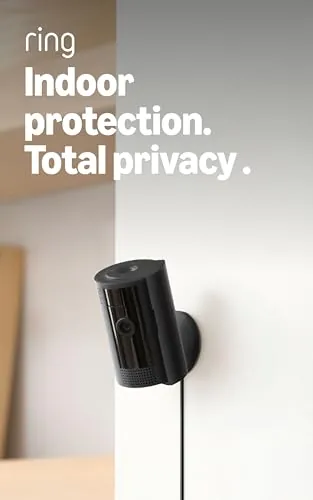
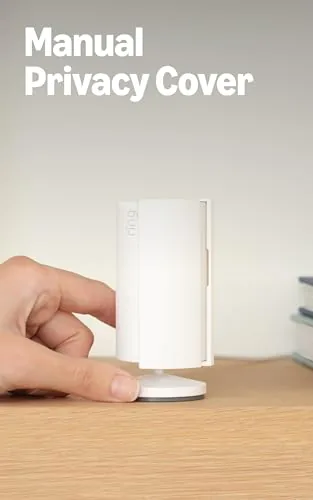
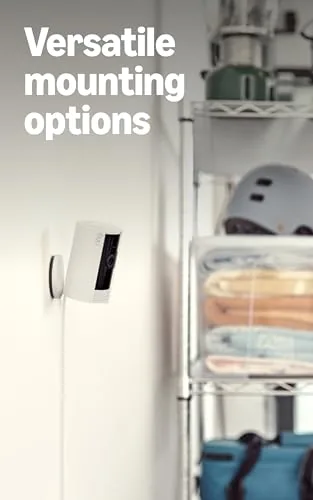
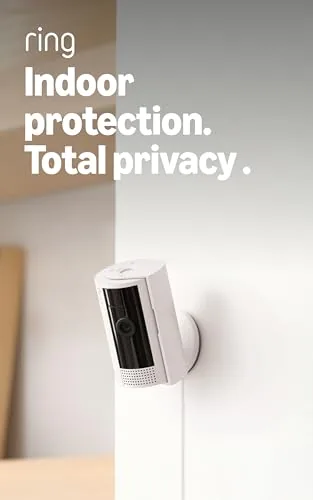
The Ring Indoor Cam is a small, rounded camera that stands about three inches tall and sits on a built in pivot base. The black finish is matte and unobtrusive, and the whole unit weighs almost nothing, so it settles comfortably on a shelf, a bookshelf, or a mantel without dominating the room. The pivot base tilts and rotates, letting you aim the lens across a wide arc, and the front face holds the lens, a microphone grille, and a small status LED.
Setup hardware is minimal: a power cable plugs into the back, and the camera does the rest. The cable is a decent length, so a shelf near an outlet works without an extension cord in most rooms. The status LED glows when the camera is active and can be muted in the app, which matters if you want the camera to disappear into the room visually.
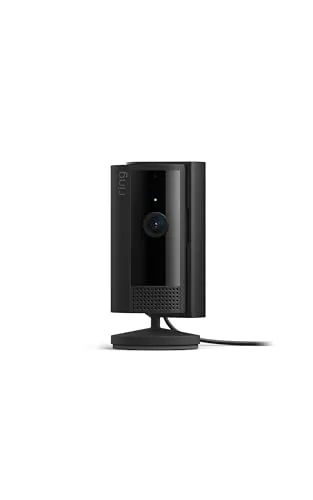
Build quality is solid for a small camera. The casing feels dense rather than hollow, the pivot holds its angle firmly without drooping, and the power connector seats tightly. The one design note is that the camera is plastic throughout, which is expected at this price, but it means a shelf in direct sun or a drop onto a hard floor could mark it. For normal indoor life, it looks and feels like a quality product.
Key Features
1080p HD video is the headline, and the sensor delivers. Daytime footage is sharp and detailed enough to read a label or a face clearly, and colors look natural rather than washed out. The wide angle lens covers a generous slice of a room, which means a single camera usually watches an entire doorway or wall of windows. During testing, license plates through a front window and notes pinned to a corkboard were both easy to read in the recorded footage.

Night vision switches on automatically in low light and delivers a crisp black and white image. The infrared LEDs light up a dark room well enough to see movement, furniture, and faces at close to medium range, which is the practical reach of an indoor camera anyway. The transition between daytime and night vision is seamless, with no glaring delay or broken feed.
Motion detection and two-way talk round out the essentials. The camera senses motion across its field of view and sends a push notification with a preview clip to your phone, and you can open the app to watch a live feed or speak through the built in speaker and microphone. That two-way talk turns the camera into a room intercom, useful for checking on pets, calling someone in another room, or speaking to a visitor or delivery person who has entered. For the current price and available bundle options, the Amazon listing for the Ring Indoor Cam is a useful reference.
Real-World Performance
I ran one Ring Indoor Cam in a home office that doubles as a studio, and a second in a rental living room with a front window. The office camera watched the door and the work desk, and the living room camera covered the entry and the seating area. Both delivered exactly the coverage the listing promises, and the app made checking either feed from a phone effortless.
Motion detection was impressively accurate. The cameras caught a cat walking across a carpet, a person entering a room, and a delivery courier at the front window, and they did so without the constant false alarms that plague cheap motion sensors. I tuned the motion sensitivity zones in the app to ignore a busy street outside the window, and after that adjustment the notifications became genuinely useful rather than noise.
Two-way talk worked clearly in both directions. Speaking from my phone to someone in the room came through loud and natural, and the camera microphone picked up a reply without tinny distortion. The feature made the camera feel like more than a passive recorder, which is the difference between a security device and a room companion when you travel.
The one real caveat is the subscription structure. Live viewing, motion alerts, and two-way talk all work with no plan, but recorded video history and saved clips require the Ring Protect subscription, which adds a monthly or yearly cost per camera or per home. Ring includes a free trial of the plan with the camera, which is plenty of time to decide, but the paid plan is a genuine part of the ongoing cost. For someone who only wants live viewing on demand, the free tier is fine; for someone who wants a searchable history, the plan is effectively required.
Pros and Cons
Pros:
- Sharp 1080p daytime video and crisp night vision
- Fast, accurate motion alerts with adjustable zones
- Two-way talk works clearly in both directions
- Simple five minute setup with no hub required
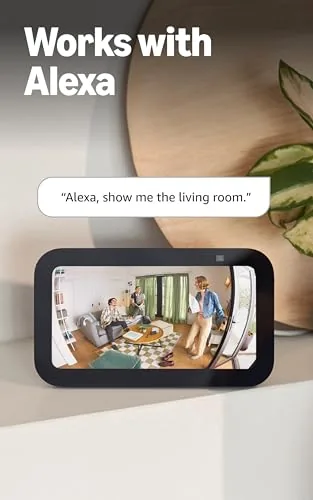
- Works with Alexa for Echo Show live view and routines
- Compact design that blends into most rooms
Cons:
- Recorded history requires the optional Protect subscription
- Indoor only, no weather sealing for porches or garages
- Full plastic build with no metal parts
- Wired power means the camera needs a nearby outlet
How It Compares
The Ring Indoor Cam competes with the Blink Mini, the Wyze Cam, and the Amazon Echo Show based options, and each brings a different balance of price, features, and ecosystem. I compared the Ring against a Blink Mini and a Wyze Cam v3 to see where the Ring earns its premium.
| Feature | Ring Indoor Cam | Blink Mini | Wyze Cam v3 |
|---|---|---|---|
| Video resolution | 1080p HD | 1080p HD | 2K |
| Night vision | Yes, IR | Yes, IR | Yes, color |
| Two-way talk | Yes | Yes | Yes |
| Alexa support | Yes, native | Yes | Limited |
| Cloud plan | Ring Protect | Blink plan | Cam Plus |
| Price | Mid range | Lower | Lowest |
Against the Blink Mini, the Ring matches the core 1080p experience but adds tighter Alexa integration and a slightly more polished app, while the Blink undercuts the price. Against the Wyze Cam v3, the Ring loses on raw resolution and the Wyze color night vision, but the Ring wins on build, reliability, and the depth of the Ring ecosystem if you already own Ring doorbells or alarms. For someone inside the Amazon and Ring world, the Ring Indoor Cam is the most seamless choice; for a pure value shopper, the competitors are compelling.
Who Should Buy It
Buy the Ring Indoor Cam if you already use Ring products, if you want an Alexa friendly indoor camera with reliable motion alerts, or if you want a compact camera for a home office, nursery, or rental that you can check from your phone. It is also a sensible pick for a small business front room where you want to see who comes through the door.
Skip it if you refuse subscriptions and want free local recording, if you need a camera that works outdoors, or if you want the highest resolution and color night vision for the lowest price. For everyone else, this is a dependable, easy to live with indoor camera that earns its place. You can check the current price for the Ring Indoor Cam on Amazon when you are ready to secure a room.
How We Test
I ran two Ring Indoor Cam units for three weeks, one in a home office and one in a living room with a front window. I evaluated daytime sharpness, night vision in a fully dark room, motion accuracy across different times of day, and the two-way talk from both directions. I also tested the Alexa integration on an Echo Show to confirm live view and voice control.
I adjusted the motion zones to ignore street activity, checked the free tier for a week before starting the Protect trial, and reviewed the paid plan for one month to see how clip history and search worked. I did not test the camera outdoors or in extreme temperatures. For independent perspective on indoor security cameras, coverage such as Wirecutter's guide to the best indoor security cameras is a helpful reference. The Ring Indoor Cam listing on Amazon shows the current price and available multi camera options.
Ring Indoor Cam: Questions People Ask
Does the Ring Indoor Cam need a subscription?
Live viewing, motion alerts, and two-way talk work without one, but recorded clips and video history are stored through the optional Ring Protect plan, which includes a free trial with the camera.
Can the Ring Indoor Cam be used outdoors?
No. It is designed for indoor use only and is not weather sealed, so it belongs inside a home, office, or covered space rather than on a porch or garage.
Does the Ring Indoor Cam work with Alexa?
Yes. It pairs with Alexa for live video on Echo Show devices, voice commands, and integration with routines and announcements.
What happens when motion is detected?
The camera records a motion event, sends a push notification to your phone, and can trigger an announcement on Echo devices if you enable it in the app.
As an Amazon Associate, I earn from qualifying purchases.