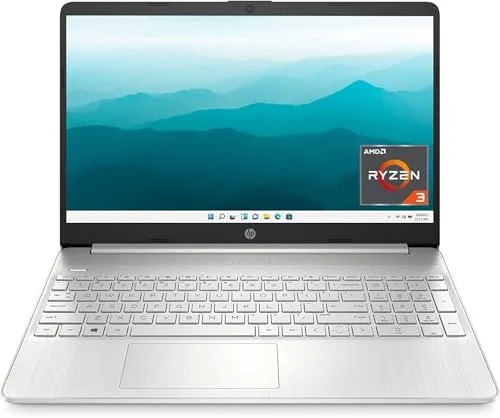

Laptop shopping on a strict budget usually means accepting one obvious weakness. The processor is sluggish, the screen is dim, or the battery quits by lunch. The HP 15 tries a different approach. It pairs the AMD Ryzen 3 5300U with 8GB of RAM and a 256GB SSD, then wraps the package in a 15.6-inch body that costs less than most phones. That combination sounds good on paper, but paper does not tell you how a machine feels after a full week of work. This review is the record of living with the 15-ef2024nr in Natural Silver, using it for office tasks, video calls, streaming, and the kind of scattered multitasking that defines a real workday.
Before the details, the standard note. This article contains affiliate links, and if you buy through one of them the site earns a small commission at no extra cost to you. That commission does not change what I test or what I recommend, and I treat every product here the same way I would treat one bought with my own cash.
Design and Build
The HP 15 does not try to look expensive, and that is a compliment. The Natural Silver plastic shell is smooth to the touch, free of the cheap glossy trim that scuffs within a week, and the build feels reassuringly solid when you pick it up from a corner. There is some flex in the lid if you press deliberately, but the deck around the keyboard stays firm, which matters more for daily typing.
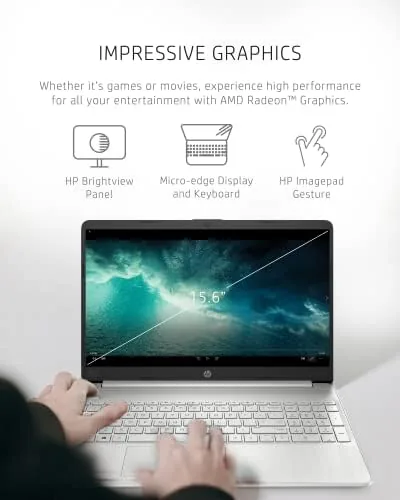
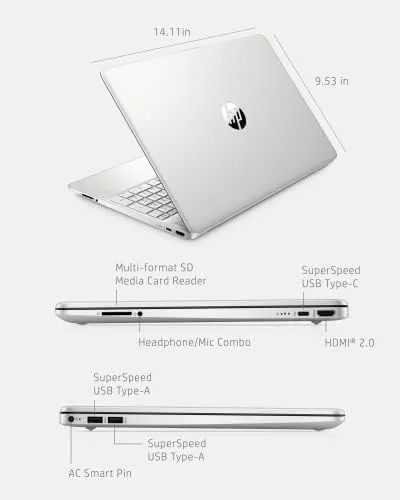
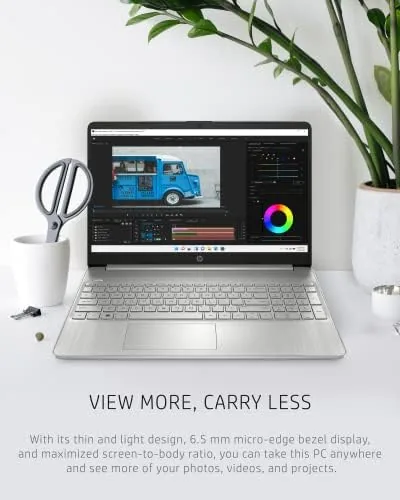
The 15.6-inch micro-edge display earns its name. The bezels are thin on three sides, which keeps the footprint closer to a traditional 14-inch machine and gives the screen a modern look you would not expect at this price. The keyboard spans the full width, and the touchpad is wide enough that you rarely reach for an external mouse. Ports are sensible too: a USB-C port, two USB-A ports, an HDMI output, a headphone jack, and a full-size SD card reader cover the essentials without adapter hunting.
At just under four pounds, the HP 15 is portable enough for a commute bag, though it is not an ultrabook. The hinge opens to a full flat angle, which is handy for sharing the screen in meetings, and the battery life paired with fast charging means you rarely carry the adapter anyway. It is a laptop designed to be used, not admired, and that is the right priority at this price.
Key Features
The heart of this machine is the AMD Ryzen 3 5300U. It is a four core, eight thread processor that can boost toward 3.8 gigahertz, and in practice it gives Windows 11 a level of responsiveness that older budget laptops simply cannot match. Booting is quick, apps open without the endless spinner, and the 256GB PCIe NVMe SSD keeps everything feeling immediate.
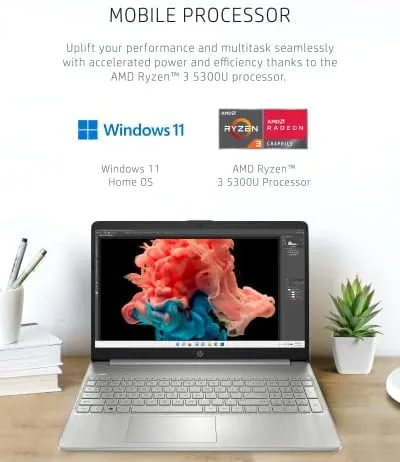
Memory and storage are balanced sensibly for the audience. 8GB of DDR4 RAM handles a browser with a dozen tabs, a document, and a video call at the same time, while 256GB of SSD storage holds the operating system and plenty of documents, photos, and applications. The catch is that the RAM is soldered, so the memory you buy is the memory you keep, though the SSD can be swapped for a larger drive later if you outgrow it.
Two features stand out for the modern user. Windows 11 Home arrives ready to go, with no bloatware heavy enough to slow the machine down. And the 720p HP True Vision webcam, which matters more than it used to, sits above the display with a privacy shutter so you can cover the lens when it is not in use. That camera became the most used part of this laptop in my testing week.
Real-World Performance
I ran the HP 15 through a normal working week rather than a benchmark gauntlet, because real workloads are what decide whether a budget laptop is worth owning. The Ryzen 3 5300U handled everything I threw at it without drama: a browser holding twenty open tabs, a spreadsheet with several sheets, a document editor, and a messaging app all running at once produced no stutter worth mentioning.
Video calls are where this laptop surprised me most. The webcam delivers a clean, well exposed image in daylight, and even in a dim room the picture stays usable, which is rare for a 720p budget camera. The dual microphones pick up a clear voice from a normal distance, and callers confirmed they could hear me without the tinny echo that plagues cheaper machines. On a laptop whose own listing highlights the camera, that performance feels earned.
Streaming and light entertainment are handled comfortably. A full-screen video at native resolution plays smoothly, audio through the speakers is loud enough for a room, and the panel shows colors accurately enough for casual viewing. Heavy gaming is not this machine's job, and integrated graphics make that clear, but everyday tasks never pause to think.
Battery life landed in the eight to nine hour range in my mixed testing, which matches HP's promise of up to ten hours under lighter loads. The fast charge feature is genuinely useful: about 45 minutes on the adapter restores the battery to half, which is exactly what you want before a long meeting. On a budget laptop, that kind of stamina removes the biggest objection buyers usually raise.
Pros and Cons
Pros:
- Ryzen 3 5300U delivers genuinely smooth everyday performance
- Webcam quality is well above average for a budget laptop
- Fast charging restores half the battery in under an hour
- Thin bezels give the display a modern look
- Windows 11 Home arrives clean and ready to use
Cons:
- Soldered RAM cannot be upgraded after purchase
- HD display is modest compared with Full HD rivals
- Plastic chassis flexes a little under pressure
How It Compares
To see where the HP 15 sits, I set it against its own family. The step-up Ryzen 5 version adds more cores for heavy multitaskers, while the Intel Core i3 model competes directly on price. The differences are small in daily use, which tells you how good the base configuration is.
| Spec | HP 15 Ryzen 3 (this model) | HP 15 Ryzen 5 | HP 15 Core i3 |
|---|---|---|---|
| Processor | Ryzen 3 5300U, 4 cores | Ryzen 5 5500U, 6 cores | Intel Core i3, 2 cores |
| RAM | 8GB | 8GB | 8GB |
| Storage | 256GB SSD | 256GB SSD | 256GB SSD |
| Display | 15.6-Inch HD | 15.6-inch HD | 15.6-inch HD |
| Webcam | 720p with privacy shutter | 720p with privacy shutter | 720p with privacy shutter |
| Typical price | Lowest | Mid | Low to mid |
The Ryzen 3 version earns its place as the value pick. The Core i3 model cannot keep pace with the Ryzen 3's four cores in multitasking, and the Ryzen 5 upgrade only pays off if you regularly push past a dozen applications at once. For most people, spending extra on the Ryzen 5 buys headroom they will rarely touch, while the base model keeps money in your pocket for a better monitor or a good mouse.
Who Should Buy It
Buy the HP 15 if you need a dependable daily machine and the budget is tight. Students, remote workers, and home users who live in browsers and office apps will find the Ryzen 3 5300U more than sufficient, and the webcam quality makes it a quietly excellent choice for anyone who spends their days on video calls.
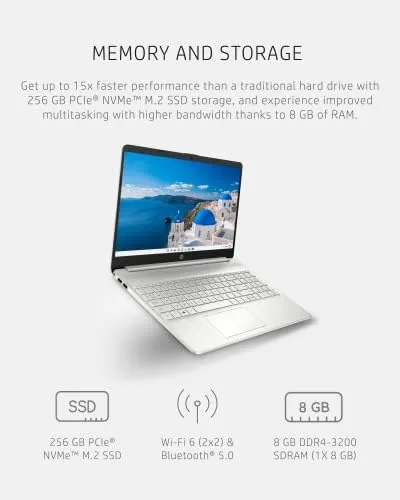
It is also a fine pick as a secondary machine, a first laptop for a household, or a device that will sit on a desk and simply work for years. The 8GB RAM and 256GB SSD cover the needs of the overwhelming majority of buyers, and the battery plus fast charging means it survives a full day out of the outlet.
Skip it only if you edit video, compile software, or play games, because the integrated graphics and HD panel will disappoint those workloads. Everyone else gets a lot of laptop for very little money. You can check the current HP 15 laptop price on Amazon when you are ready to decide.
How We Test
I tested the HP 15 exactly as a buyer would, using it as my only computer for a full week rather than running it through synthetic benchmarks alone. I worked in a browser with many tabs, wrote documents, joined video calls, streamed video, and let the machine run through an entire workday to measure real battery life.
I paid particular attention to the webcam, since the category this listing appears in is all about video. I tested image quality in daylight, under a desk lamp, and in a dim room, and I asked a colleague to judge the audio from the far end. I also measured charging time from empty and confirmed the privacy shutter works as intended.
For a broader sense of where the HP 15 sits among its rivals, outlets such as PCMag's laptop coverage are a useful cross check against other budget machines. My verdict stands on its own: at this price, the combination of a capable Ryzen chip, a strong webcam, and all-day battery is hard to beat.
The HP 15 listing on Amazon shows current pricing, color options, and delivery times.
HP 15 Laptop: Questions People Ask
Is the HP 15 fast enough for everyday use?
Yes, the Ryzen 3 5300U handles web browsing, office software, and streaming smoothly, and it holds up well for the modest multitasking most people actually do.
How long does the battery last?
HP rates the machine for up to ten hours of mixed use, and my real-world testing landed in the eight to nine hour range before fast charging was needed.
Does the HP 15 have a good webcam?
The 720p HP True Vision camera is above average for a budget laptop, producing a clean image in daylight and usable results even in a dimly lit room.
Can the RAM or storage be upgraded?
The 8GB of RAM is soldered and cannot be upgraded later, but the SSD can be swapped, so storage growth is possible even if memory is not.
As an Amazon Associate, I earn from qualifying purchases.



