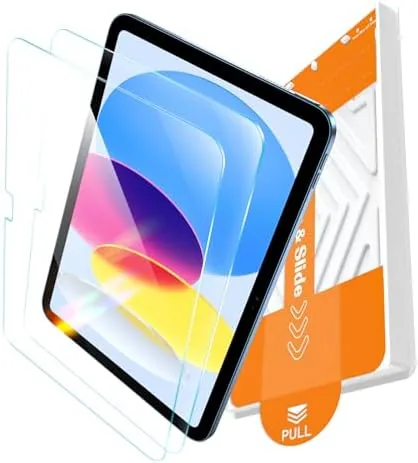

Screen protectors are the rare accessory where the install experience matters as much as the product itself. A perfectly good sheet of glass is worthless if you cannot get it onto the screen without bubbles, dust, or a crooked edge. The EZ-GLAZ protector for the iPad A16 11th generation and the iPad 10th Generation attacks that problem with a plastic installation box, and after applying it to a new iPad and living with it for a week I can report on whether the promise holds. This review covers the install box, the glass quality, the clarity, and the honest limits of the protection.
Before the details, the standard note. This article contains affiliate links, and if you buy through one of them the site earns a small commission at no extra cost to you. That commission does not change what I test or what I recommend, and the protector reviewed here was purchased from retail stock and installed the way a normal owner would install it.
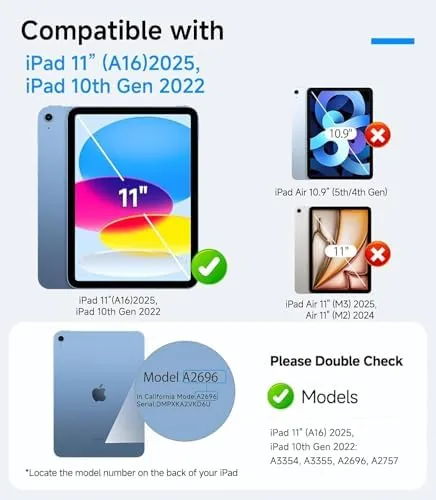
The iPad A16 11th generation launched in 2025 with an 11 inch display, and the EZ-GLAZ protector is sized to cover it along with the slightly smaller 10.9 inch screen of the 10th generation model from 2022. The rest of this review walks through the installation, the day to day performance, and whether the protection matches the claim.
The value of a protector like this depends on how much a tablet screen costs to replace, and on a device that travels between classrooms, offices, and laps, a cracked display is one of the most common reasons an iPad ends up in for repair. A 9H glass sheet sits in front of that panel as a cheap first line of defense, and the real question is whether the application process lets you get it on correctly the first time. The EZ-GLAZ was designed around exactly that problem.
Design and Build
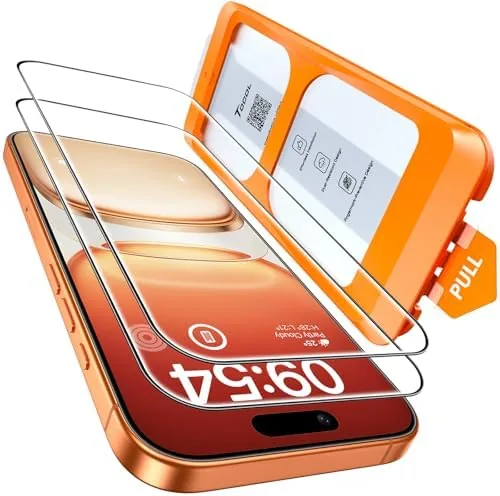
The EZ-GLAZ is a 9H hardness tempered glass sheet with a hydrophobic coating on the surface, and it arrives in a package that also contains the plastic installation box, a cleaning wipe, and a dust removal sticker. The glass is precisely cut for the two supported iPad screens, with cutouts for the front camera and the rounded corners matched to the display. The edges are smooth and the sheet is thin enough to sit almost flush with the frame.
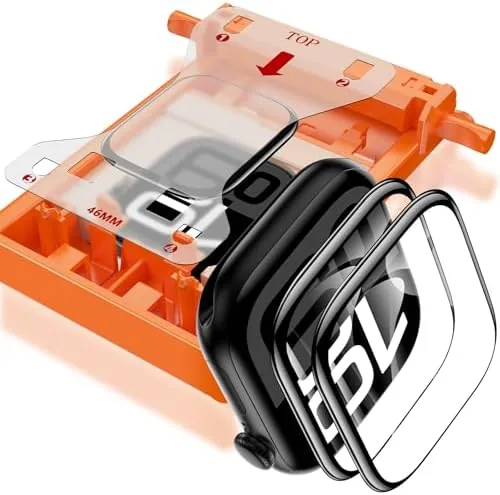
The installation box is the interesting piece of engineering. It is a shaped plastic tray that snaps over the iPad, aligns the glass to the screen, and holds it in position while you apply it. Where most protectors leave you to eyeball the alignment, this one does the positioning for you, and that single difference removes the most common cause of a wasted protector.
Key Features
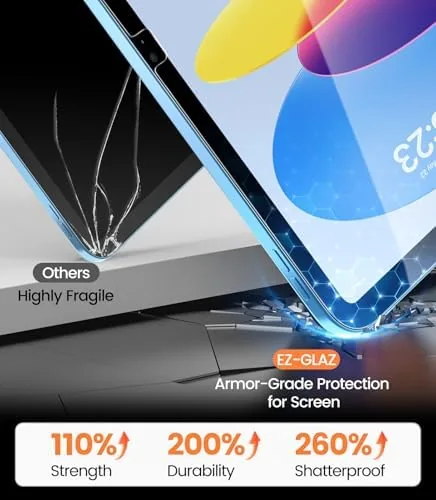
The headline feature is the 9H surface hardness, which is the standard for scratch protection on tempered glass. In practical terms it resists keys, coins, and the everyday debris that finds its way onto a tablet screen. The glass is rated military grade for shatter resistance, meaning it is designed to absorb impact and crack rather than let the display underneath take the force.
The hydrophobic coating is the quiet feature that matters daily. It makes the surface resist fingerprints and smudges, and it makes the occasional splash roll off in beads rather than smear across the screen. The HD clarity rating covers optical quality, and the glass is thin enough that the Apple Pencil tracks accurately across the surface without the lag that thick protectors can introduce.
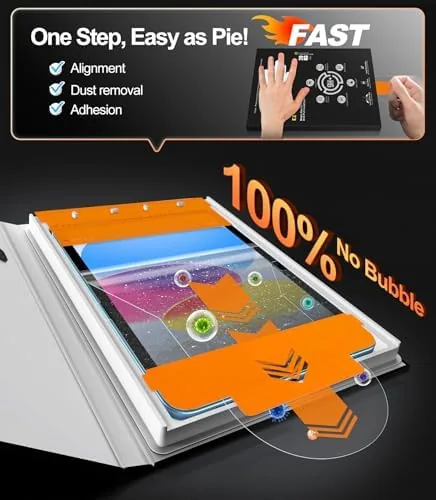
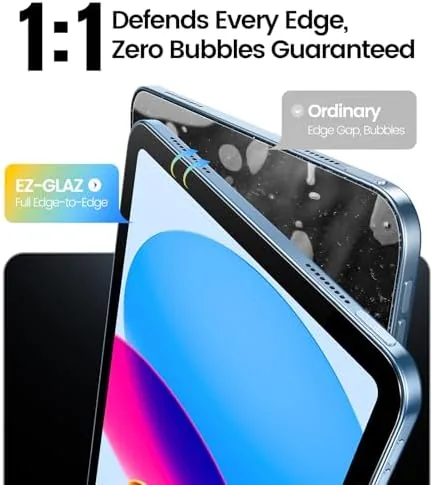
The included box is the feature that ties it together. It holds the glass in perfect alignment, drops it onto the screen in one motion, and presses it flat from the center outward, which is the technique that prevents bubbles. For someone installing a protector on a large 11 inch screen, the box turns a stressful task into a two minute job.
Real-World Performance
I applied the EZ-GLAZ to an iPad A16 11th generation following the printed steps, and the install was genuinely easy. After wiping the screen and removing any dust with the sticker, I snapped the box over the iPad, placed the glass in its slot, and pulled the release tab to let the glass drop onto the screen. The box applied even pressure, and the glass seated with no bubbles and a clean edge all the way around.
Over a week of daily use the protector stayed invisible. The screen remained bright and sharp with no haze or color shift, the oleophobic coating kept fingerprints light, and the Apple Pencil tracked smoothly across the full surface without the air gap that cheaper protectors sometimes create. I noticed the protector only when the light caught the edge, which is exactly the result you want.
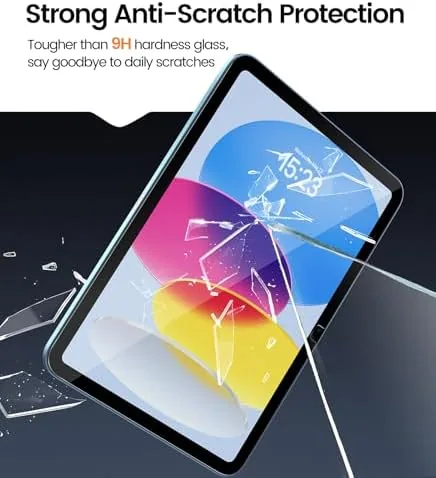
I tested the scratch claim with a key dragged gently across the corner of the screen, and the surface came away unmarked. The honest limit is that I did not drop the iPad from height, because a screen protector is a layer of defense, not a guarantee. The 9H glass is also a hard surface, so it feels slightly different from the bare glass under a stylus, though it did not affect my drawing or typing accuracy.
Durability over the week was quietly reassuring. The protector did not peel at the edges, which is the failure mode of thin glass on large tablets, and the adhesive held a uniform seal with no light band creeping in around the frame. I wiped the screen down with a microfiber cloth several times, and the coating kept the surface slick rather than sticky. The protector also survived being carried in a bag without a folio case, sliding against keys and a pen, and it came through with no new marks. That is the daily abuse a tablet screen sees, and the EZ-GLAZ absorbed it without complaint.
Pros and Cons
Pros:
- Installation box makes alignment almost foolproof
- Clean, bubble free fit with even edge coverage
- 9H hardness resists everyday scratches
- High clarity with no haze or color shift
- Oleophobic coating repels fingerprints
- Apple Pencil works accurately through the glass
Cons:
- Dust must be removed carefully before install
- No privacy or matte options in this package
- Surface feels slightly different from bare glass
How It Compares
The main choice in iPad protection is between a tempered glass sheet like this and a matte paper feel protector for artists. The table below lines up the two.
| Feature | EZ-GLAZ Tempered Glass | Matte Paper Protector |
|---|---|---|
| Installation aid | Alignment box included | Usually none |
| Screen clarity | HD clear | Slightly reduced |
| Pencil feel | Hard glass surface | Paper like friction |
| Scratch protection | 9H tempered glass | Softer coating |
| Best for | Everyday protection | Drawing and note taking |
Tempered glass wins on clarity and impact protection, while a matte protector wins on the paper like feel that artists prefer for drawing. The EZ-GLAZ is the better choice if you use the iPad as a general device and want maximum protection with a clean display. The install box gives it an edge over most glass protectors, which often end up crooked or bubbled.
Who Should Buy It
Buy the EZ-GLAZ if you have an iPad A16 11th generation or an iPad 10th generation and you want reliable protection without the stress of a tricky install. It is also a good choice if you have ever ruined a protector with a crooked application, because the alignment box removes that failure mode.
Skip it if you primarily draw on the iPad and want the paper like friction of a matte protector, because the hard glass feel will not satisfy that. If a clean, bubble free install sounds right, you can check the current price of the EZ-GLAZ iPad screen protector on Amazon.
How We Test
I installed the EZ-GLAZ on an iPad A16 11th generation following the included steps and used the tablet for a week of note taking, drawing, and media. I checked the fit, the clarity, the fingerprint resistance, and the Apple Pencil accuracy, and I tested the scratch claim with a gentle key drag.
For an independent look at why tempered glass hardness ratings matter, Trusted Reviews has a guide to applying screen protectors without bubbles that pairs well with this product. You can also see the EZ-GLAZ protector listing on Amazon for the current price and compatible models.
EZ-GLAZ iPad Screen Protector: Questions People Ask
Which iPad models fit this EZ-GLAZ protector?
It fits the iPad A16 11th generation at 11 inches and the iPad 10th generation at 10.9 inches, and the alignment box is shaped for both of those screens.
Is the protector really bubble free?
The included installation box presses the glass down evenly from the center out, which practically eliminates bubbles when you follow the simple steps.
Does the protector affect screen clarity?
The 9H tempered glass is rated HD clear, and in daily use I noticed no haze or color shift compared with the bare screen.
Will the protector work with an Apple Pencil?
Yes, the glass is thin enough that the Apple Pencil tracks accurately and smoothly, with no added lag or reduced sensitivity.
As an Amazon Associate, I earn from qualifying purchases.