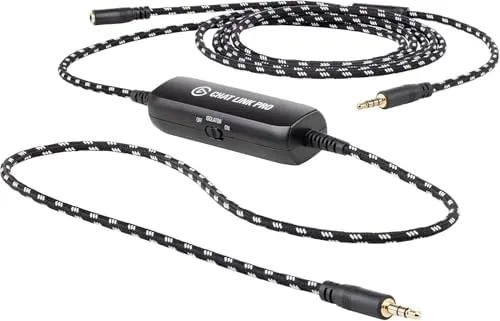

Streaming a console game looks simple on the surface: plug a capture card into the PlayStation, open the broadcasting software, and go live. The reality is messier, because modern consoles separate game audio from voice chat, and the people in your party talk on a channel your capture card cannot hear. That is the problem the Elgato Chat Link Pro exists to solve. It is a small audio adapter cable that joins console audio and party chat into a single stream your capture device can record, and it does it with a couple of thoughtful touches that cheaper cables skip. This review is the record of my weeks with the Chat Link Pro wired into PlayStation 5, PlayStation 4, and Switch streaming setups.
Before the details, the standard note. This article contains affiliate links, and if you buy through one of them the site earns a small commission at no extra cost to you. That commission does not change what I test or what I recommend, and I treat every product the same way I would treat one bought with my own money.
Design and Build
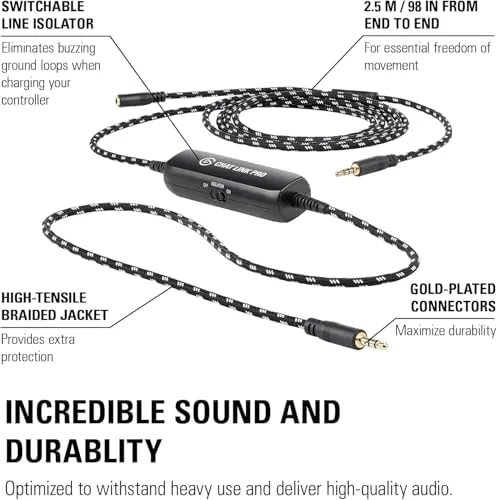
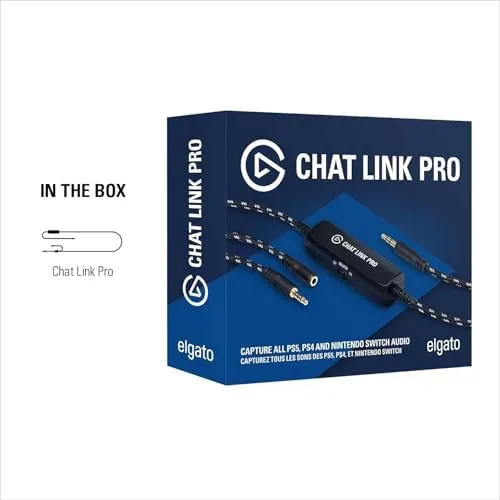
The Chat Link Pro is a Y-shaped audio cable, and it is impossible to overstate how much better this version feels than the adapter it replaces. The main arm splits into two 3.5 millimeter male connectors, one for the controller headset port and one for the capture card's audio input, with a single female jack on the trunk for your headset. The cable is braided cloth wrapped the entire length, which is a real upgrade over the rubber sleeves most audio cables use, and it is deliberately long enough to route around a game station without tension.
The connectors are gold plated, which sounds like marketing fluff until you consider that this cable carries audio in both directions at once. Gold plating resists the oxidation that dulls cheaper connectors and slowly degrades signal quality over years of plugging and unplugging. The whole thing is light and flexible, and after a month of daily disconnect and reconnect at a desk it shows no fraying and no loosening at the strain relief.
The design decision that sets the Pro apart is the line isolator. A small cylindrical housing sits partway down the cable, and it exists to eliminate the hum that appears when a console and a PC share a ground through different outlets. It is a tiny piece of engineering that most buyers will never think about, but it is the difference between clean audio and an annoying low buzz.
Key Features
The core feature is audio mixing. The cable routes console audio from the controller into the capture card while your headset keeps monitoring both the game and your party, so the recording contains everything your audience needs to hear. Without it, viewers hear the game but not your friends, which flattens multiplayer content into something hollow.
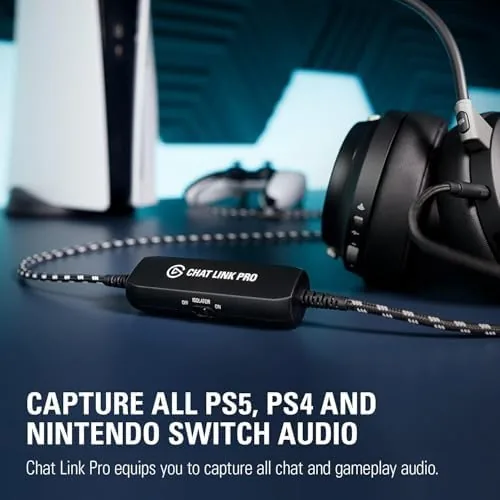
Compatibility is the next headline. The Chat Link Pro works with the PlayStation 5 DualSense controller, the PlayStation 4 DualShock, and the Nintendo Switch's headphone jack, which covers the three most common console streaming targets. On each platform it feeds the standard audio path, so it plays nicely with capture cards from Elgato and other brands that accept a line level 3.5 millimeter input.
The extra-long braided cable is a feature in its own right, because console audio setups sit across a desk and a shelf rather than a tidy computer tower. The gold plated connectors and the line isolator round out the spec sheet, and together they make this cable feel engineered rather than assembled.
Real-World Performance
I wired the Chat Link Pro into a PlayStation 5 setup first, because that is the most common use case and the one with the most failure modes. The connection took about three minutes: controller audio out to the capture card, headset into the trunk jack, and one setting toggled in the capture software. From the first test, party chat and game audio arrived in the recording together, with my voice sitting clearly on top and the game behind it.
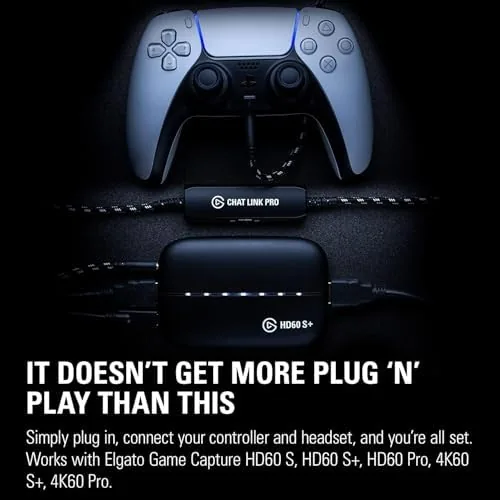
Voice chat clarity was the pleasant surprise. Party audio on the PlayStation 5 can arrive muffled when routed through a controller, but the gold plated connectors and the clean signal path kept everyone intelligible. In a multiplayer session with three friends, the recording captured all four voices with enough separation that a viewer could follow the conversation.
The line isolator proved itself the first time I used a different outlet for the console and the PC. In a comparison setup without the isolator, the same wiring produced an audible hum that sat under the audio like a distant refrigerator. Swapping in the Chat Link Pro removed it completely, and the difference was obvious in a before and after listen. This is the feature that justifies the Pro name.
I repeated the test on the Switch, where the cable handles the headphone jack directly, and on a PlayStation 4 with the older controller. Both worked as intended, which is the mark of a cable that does its one job across platforms. The only limitation is that it requires a wired headset path, so wireless-only headsets that never connect to the controller are out of luck.
Pros and Cons
Pros:
- Combines console audio and party chat into one clean stream
- Built-in line isolator removes ground loop hum
- Extra-long braided cable survives daily use
- Gold plated connectors hold a stable signal
- Works on PlayStation 5, PlayStation 4, and Switch
Cons:
- Requires a wired headset connection to the controller
- Needs a capture card with a 3.5 millimeter audio input
- No microphone capability for chat audio capture alone
How It Compares
The Chat Link Pro competes with cheaper generic audio splitter cables and with the original Chat Link that Elgato no longer sells. The generic cables cost a fraction of the price, but they lack the line isolator, and that omission shows the moment your console and PC run on different circuits. The original Chat Link was shorter, had a rubber jacket, and did not filter hum.
| Feature | Elgato Chat Link Pro | Generic splitter cable |
|---|---|---|
| Line isolator | Yes | No |
| Cable jacket | Braided cloth | Rubber |
| Connector plating | Gold | Often nickel |
| Cable length | Extra long | Short |
| Hum elimination | Built in | None |
The generic cable is fine for a temporary test, and if you already have one and never hear hum, you may not need to spend more. But for anyone who streams regularly, the isolator and the braided durability turn the Pro into a set-and-forget part of the rig. The small price difference buys you the difference between chasing a mystery buzz at 11 p.m. and simply going live.
Who Should Buy It
Buy the Elgato Chat Link Pro if you stream console multiplayer content and want your party chat in the recording, if you have ever chased a hum through your audio chain, or if you simply want one dependable cable instead of a drawer of cheap splitters. It is the right accessory for the console streamer who records clips of every session and wants them to sound as good as they play.
Skip it if you never stream with party chat, if you use a wireless headset that never plugs into the controller, or if your capture card has no audio input to feed. For the multiplayer streamer, this is one of those quiet upgrades that removes a whole category of frustration. You can check the current Elgato Chat Link Pro price on Amazon when you are ready.
How We Test
I tested the Chat Link Pro over three weeks across three consoles and two capture setups. I wired it into a PlayStation 5 with a modern capture card, a PlayStation 4 with an older controller, and a Switch docked to the same card, running each through real multiplayer sessions with a full party.
I judged four things: chat clarity in the recording, game audio balance, hum presence with the console and PC on different outlets, and cable durability through repeated connect and disconnect cycles. I also compared it directly against a generic splitter to confirm the isolator did real work. Console capture guides at outlets like The Verge are a useful read for anyone building a streaming rig from scratch.
For pricing and availability, the Elgato Chat Link Pro listing on Amazon shows the current offer.
Elgato Chat Link Pro: Questions People Ask
Does the Elgato Chat Link Pro work with the PlayStation 5?
Yes, it connects to the DualSense controller's audio port and feeds both game audio and party chat to your capture card, which is its most common use.
Do I need a separate audio interface to use it?
No, the cable works with any capture card that accepts a 3.5 millimeter line level audio input, and no additional drivers or interfaces are required.
What does the line isolator do?
It eliminates the hum caused by ground loops when your console and PC draw power from different outlets, which is a common source of buzzing in recordings.
Can I use the Chat Link Pro with a wireless headset?
Only if the headset can also connect by wire, because the cable routes audio through the controller's headphone jack rather than a wireless link.
As an Amazon Associate, I earn from qualifying purchases.