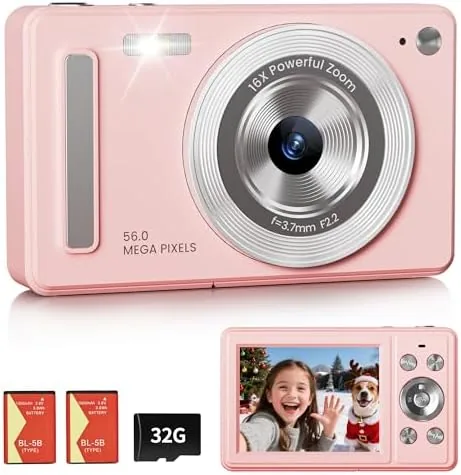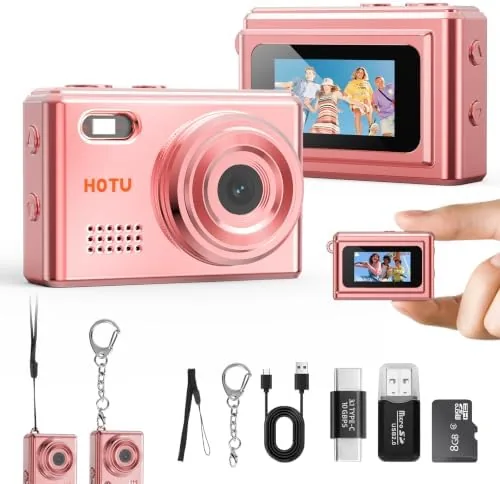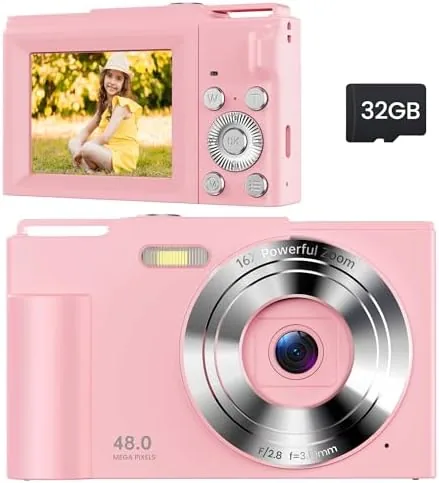

Every parent has watched a child grab a phone to photograph the family dog, the dinner plate, and a suspiciously important crayon drawing. The pictures are chaotic, the battery drains, and the phone is one butter-fingered drop from a cracked screen. A dedicated kids camera solves all three problems at once, and the pink Digital Camera for Kids is exactly the kind of device built for that job. It is a compact pink camera aimed at ages 6 to 13, with a 16X zoom, a simple interface, and a body designed to survive the grip of someone who has not yet learned to treat electronics gently. I handed one to a nine year old for two weeks and watched how she actually used it. This review is the honest record of that time.
Before the details, the standard disclosure. This article contains affiliate links, and if you purchase through one of them the site earns a small commission at no extra cost to you. That commission never changes what I test or what I write.
Design and Build
The camera is small, light, and unmistakably pink, with a rounded body that fits comfortably in a small hand. It weighs almost nothing, which matters when a child is holding it out at arm's length for a selfie, and the rubberized edges give a decent grip that resists the fumbles that send adult cameras tumbling. The buttons are large and labeled simply, with no cryptic icons that require a manual to decode.
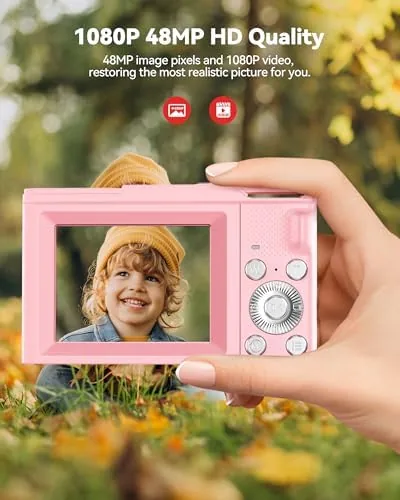
The build is deliberately robust. The body is a single piece of dense plastic with no flapping doors, and the screen is set into a recessed frame that keeps it protected from the scratches and bumps of daily use. After two weeks of being dropped onto carpet, tossed into a backpack, and carried on a school trip, the camera showed only light scuffs and no damage. It is not armored, but it is built with a clear understanding of who will be holding it.
Key Features
The headline feature is the 16X zoom. It lets a child reach across a room for a shot of the cat, fill the frame with a distant bird, or zoom in on a gift across the table, all without moving closer. The zoom is digital rather than optical, which is an important honesty note: it crops into the image and softens the result at the highest settings, but on the small screen and for the way kids actually share photos, it works well enough.
The simple interface is the second feature that matters. The camera boots straight to a live preview, one button takes a photo, one button records video, and a mode button cycles between photo, video, and playback. There are no menus to get lost in, no settings that need explaining, and no way for a child to accidentally wipe the memory card. That frictionless design is what makes a kids camera a kids camera.
The accessory set rounds out the value. The package includes the camera, a lanyard so it hangs around the neck instead of hitting the ground, a charging cable, and a small manual with pictures. The lanyard is the unsung hero here: once clipped on, it caught the camera during several near drops and turned what would have been a floor landing into a swing.
Real-World Performance
I handed the camera to the nine year old without any instruction beyond where the shutter button was, and she was shooting within a minute. That is the test that matters most for a kids camera, and the Digital Camera for Kids passed it instantly. She photographed everything in reach for the first hour, and the camera kept up with the button mashing without locking up or dropping frames.
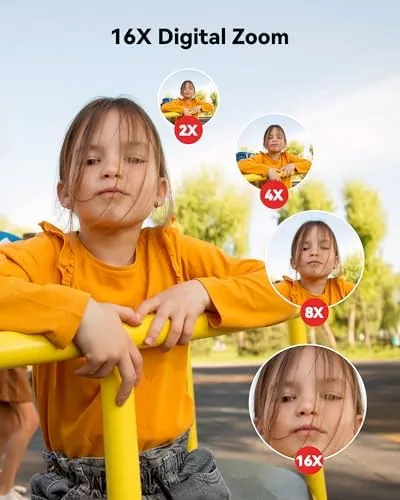
Photo quality is what you expect from this category. In good daylight the shots are bright and colorful, with enough detail for a small print, a photo album, or sharing on a family phone. Indoors and in dimmer light, the images get soft and grainy, and the small sensor cannot rescue a dark room the way a phone's computational processing can. For the intended use, capturing the moment rather than winning a photography prize, that is a fair trade.
The 16X zoom worked better than I expected in the middle range. Zoomed to four or six times, the pictures stayed presentable and let the young photographer reach subjects across a yard. Pushed to the full 16X, the image fell apart into pixelated softness, but that is the nature of digital zoom, and a child will rarely stay at the extreme setting for long. The video mode records clips that play back smoothly, though the built in microphone picks up everything nearby, which is charming when the subject is family.

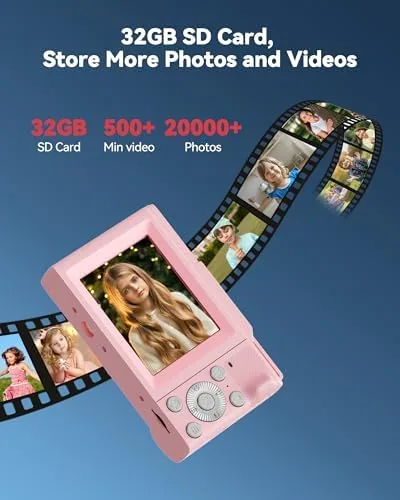
Battery life was genuinely good. A full charge lasted a full day of on and off shooting, covering hundreds of photos and a stack of short clips, and it still had charge left the next morning. Recharging over the included cable took about two hours, and the camera gave clear low battery warnings before it gave out. The one requirement to plan for is a microSD card, since the camera needs one for storage and it is not included in the box.
Pros and Cons
Pros:
- Simple one button interface a child masters in minutes
- Sturdy build survives drops, backpacks, and school trips
- Lanyard catches near drops before they hit the ground
- Full day battery life from a single charge
- 16X zoom reaches distant subjects for curious kids
- Decent daylight photo quality for the price
Cons:
- Zoom is digital and softens images at the highest settings
- Indoor and low light photos come out grainy
- Requires a microSD card, sold separately
- Limited manual control for older or more serious kids
How It Compares
Parents weigh a kids camera against a used phone and against pricier point and shoot cameras. I compared this Camera with a hand me down phone and a budget adult camera to see where each approach lands.
| Feature | Kids Camera | Hand Me Down Phone | Budget Adult Camera |
|---|---|---|---|
| Durability | Built for drops | Screen at risk | Varies |
| Ease for kids | One button simple | Apps and menus | More controls |
| Image quality | Good in daylight | Best of the three | Best of the three |
| Battery for a day | Yes | Drains with apps | Yes |
| Cost | Low | Free if owned | Higher |
| Parental peace of mind | High | Low | Medium |

Against a hand me down phone, the kids camera wins on durability and simplicity, and you lose the phone's superior camera in exchange for the knowledge that a drop will not cost you a screen. Against a budget adult camera, the kids camera is far easier to hand over and harder to break, at the cost of image quality that only a serious young photographer would notice. For a first camera, the kids camera is the right tool for the job. The kids camera price on Amazon is worth checking against the alternatives.
Who Should Buy It
Buy this camera for a child between 6 and 13 who keeps grabbing phones to take pictures, for a birthday or holiday gift where the experience matters more than the spec sheet, or for a family trip where you want the kids shooting their own photos instead of fighting over yours. It is also a thoughtful gift for a young child taking their first steps into photography.
Skip it if your child is already serious about photography and will hit the zoom limits or want manual settings within a week, because then a budget adult camera is the better investment. Skip it too if you expect phone level image quality indoors. For the young and enthusiastic photographer, this is a delightful first camera, and you can see the pink kids camera on Amazon here.
How We Test
I gave the camera to a nine year old for two weeks and observed how she used it across a school trip, a weekend at home, and daily after school photo sessions. I reviewed the photos and videos she took, tracked battery life through full days of use, and inspected the camera after the drops and bumps of normal childhood handling.
I did not test the camera in water or extreme conditions, and I did not leave it in the hands of a child under the recommended age range. For families weighing screen free photography options, Common Sense Media guidance on kids and cameras is a useful authority on age appropriate tech. The pink kids camera listing on Amazon shows the current price and included accessories.
Pink Kids Camera: Questions People Ask
Is the 16X zoom optical or digital?
The zoom is digital rather than optical, which means it crops into the image and reduces sharpness at the highest settings, though it is still useful for framing distant subjects on the small screen.
What ages is this camera best suited for?
The manufacturer suggests ages 6 to 13, and in my testing the simple controls suited a nine year old immediately, while older kids may want more manual control and better image quality.
How long does the battery last?
A full charge lasted a full day of on and off use in my testing, covering hundreds of photos and short video clips, and recharging took about two hours over the included cable.
Does the camera need a memory card?
The camera uses a microSD card to store photos and video, which is sold separately, so plan to add a small card before the first photo session.
As an Amazon Associate, I earn from qualifying purchases.