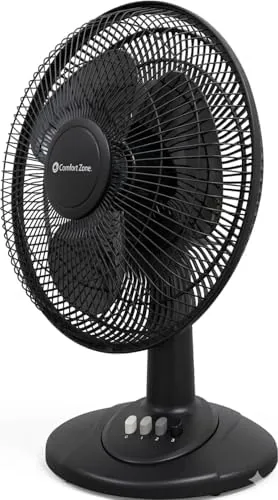

There is a specific kind of summer frustration that only a desk fan understands. The room is warm, the laptop is radiating heat, and the air around your chair sits perfectly still while the rest of the house manages to be comfortable. A good table fan fixes that in seconds, but most of them do it by sounding like a small jet engine. The Comfort Zone CZ121BK is a 12 inch oscillating table fan that promises something better: real airflow with a quiet motor, controlled by push buttons you can reach without looking. I have used one on my desk and beside my bed for a month, and it has earned its place in both spots.
Before the details, the standard note: this article contains affiliate links, and if you buy through one of them the site earns a small commission at no extra cost to you. That never changes what I test or how I review it.
Design and Build
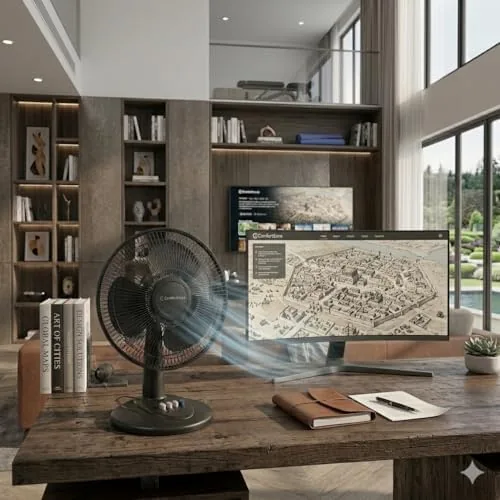
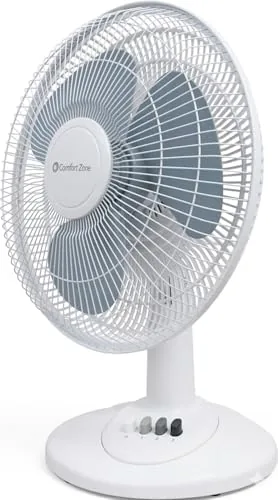
The Comfort Zone table fan is compact and honest. The 12 inch blade sits inside a black ring housing that tilts on a solid neck, and the whole thing balances on a flat base that holds a set of push buttons on the front. It is the classic table fan silhouette, refined just enough to look at home on a desk or a nightstand, and small enough to tuck into a dorm shelf without taking over. The build is simple but solid, and the base gives the fan a stable footing even when the head is tilted up at its full angle.
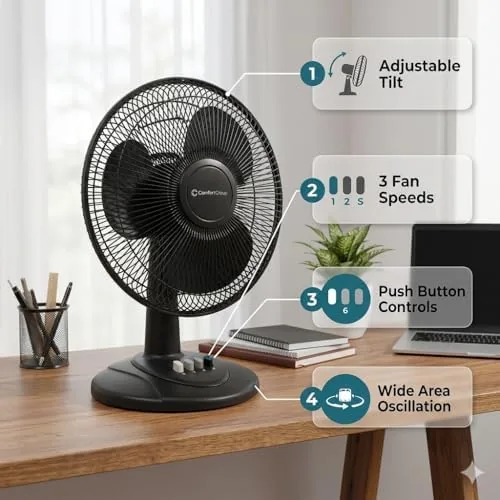
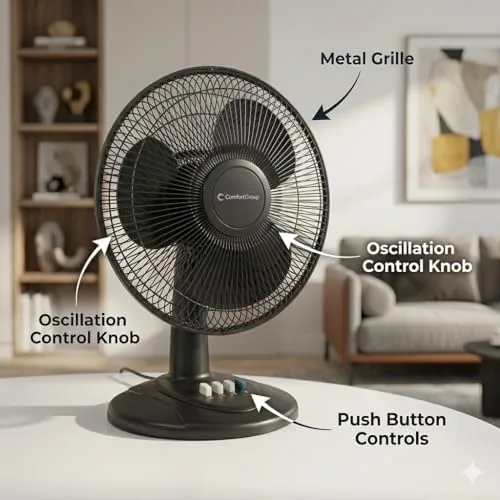
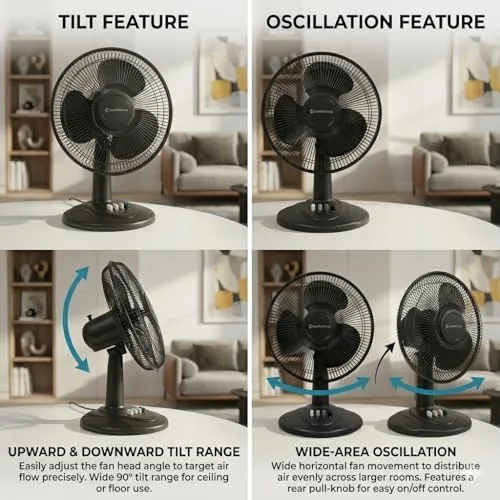
The controls deserve a mention because they are done right. Instead of fiddly knobs on the back, the fan has three push buttons on the front of the base for the three speeds, plus a separate switch for oscillation. That layout means you can change speeds without reaching around the fan or hunting for a dial in the dark, which is exactly the kind of small detail that makes a fan pleasant to live with. The tilt adjustment uses the head mount, and it holds its position once set.
Key Features
The 12 inch blade is the heart of the fan, and Comfort Zone rates the airflow at 7.25 feet per second. That is a strong figure for a fan in this class, and in practice it means the breeze reaches you across a desk rather than dying in front of the blade. for a Desk fan that is the whole game: moving enough air to actually cool you, not just to move the papers on your desk.
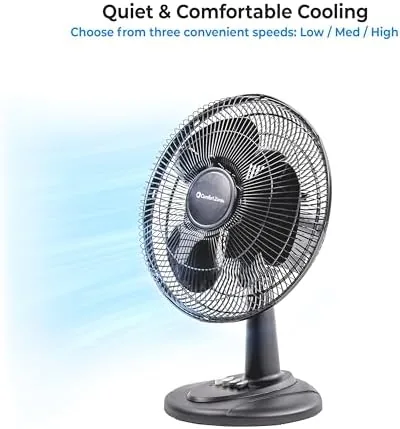
The three speed control is simple and effective. The low setting is a gentle, continuous breeze that is quiet enough for a bedroom or a phone call, medium adds a clear increase in airflow, and high turns the fan into a serious mover of air. Because the controls are push buttons on the front, you can switch between them instantly, which matters more than it sounds when the heat varies through the day.
Oscillation and tilt round out the package. The head sweeps side to side through a wide arc when the oscillation switch is on, spreading air across a desk or across a bed, and you can turn it off to lock the fan on one spot. The tilt adjustment aims the breeze up or down, so you can set the fan to blow over a laptop screen or down onto a sleeping position. Together they make the fan flexible enough to serve a desk, a bedside table, or a dorm shelf.
Real-World Performance
I started with the fan on my desk during a week of warm weather, and the first thing I noticed was the low setting. It produced a steady, even breeze across my workspace at a noise level low enough that I forgot it was running. I took calls with the fan on medium and the person on the other end never mentioned it, which is a better test than any spec sheet. The high setting is noticeably stronger and brings a firm, broad airflow that reaches the far edge of my desk, though it is loud enough that I only use it when I am not on the phone.
The oscillation made the fan genuinely useful for a shared room. With the head sweeping across its arc, the fan cooled a desk and a nearby reading chair at the same time, which is something a fixed desk fan cannot do. On the bedside table I locked the head to aim at the bed and ran the low setting overnight. The breeze was gentle and constant, and the noise was low enough that it faded into the background, which is exactly what I want from a bedroom fan.
The honest comparison is with the big floor fans. This table fan moves less air than a 16 Inch Pedestal Fan, and it will not cool a large open room the way one of those will. But it does not need to, and it gives up that volume in exchange for quiet and a tiny footprint. For a desk, a bedroom, a dorm, or a small office, the airflow is more than adequate, and the low setting is quiet enough to live with through a whole night.
One small note: the push buttons are easy to hit by accident if you bump the base, and the fan has no remote, so you have to reach it to change settings. Neither is a real problem for a fan that sits beside you, but they are worth knowing. The power cord is a reasonable length for a desk setup, and the fan runs cool and stable through long stretches of use.
Pros and Cons
Pros:
- Quiet low setting that is easy to live with and sleep through
- Strong airflow rated at 7.25 feet per second for its size
- Front push button controls that are easy to reach
- Oscillation and tilt for flexible aiming
- Compact footprint that suits a desk, dorm, or nightstand
- Very affordable price for the cooling power
Cons:
- High setting is loud, as expected from a 12 inch blade
- No remote control
- Push buttons are easy to hit accidentally
- Will not cool a large open room like a pedestal fan
How It Compares
To place the Comfort Zone table fan in context, I compared it with three alternatives: a smaller 9 inch desk fan, a tower fan, and a 16 inch pedestal fan. The table below reflects a month of use in my home office and bedroom.
| Feature | Comfort Zone 12 Inch | 9 Inch Desk Fan | Tower Fan |
|---|---|---|---|
| Blade size | 12 inch | 9 inch | Slim vertical |
| Airflow strength | Strong for class | Gentle | Medium |
| Noise at low | Quiet | Very quiet | Quiet |
| Oscillation | Yes | Often no | Yes |
| Controls | Front push buttons | Knobs | Panel or remote |
| Best for | Desks and beds | Close quarters | Small Rooms |
The 9 inch desk fan is quieter and smaller, but it moves very little air and usually cannot oscillate, so it is better for a single face than a whole desk. The tower fan cools a small room and looks sleek, but it costs more, takes up floor space, and cannot be aimed at one spot the way this fan can. The Comfort Zone 12 inch fan hits the best balance for desk and bedroom duty, offering real airflow, a quiet low setting, and a tiny footprint at a price that undercuts both.
Who Should Buy It
Buy the Comfort Zone table fan if you work at a desk in a warm room, if you want a quiet fan beside your bed, or if you need a dorm room fan that fits on a shelf. It is also a smart pick for a home office where a big floor fan is overkill and the air around your chair goes still. The quiet low setting makes it one of the few fans I would actually want running during a work call or through a night of sleep.
You can check the current price of the Comfort Zone table fan on Amazon to see what it costs today.
Skip it if you need to cool a large open living space, because a 16 inch pedestal fan will serve that role better, or if you insist on a remote control. For everyone else who wants dependable, quiet airflow at a desk or beside a bed, the Comfort Zone 12 inch fan is an easy recommendation, and after a month of daily use it has become the fan I reach for first.
How We Test
I used the Comfort Zone table fan for a full month, alternating between my desk in the day and my bedside at night, which gave me a thorough read on both airflow and noise. I tested all three speeds and the oscillation across different room conditions, ran the low setting through full nights to check it could be slept through, and compared the fan directly against a 9 inch desk fan and a tower fan in the same room to place it fairly in the market.
For a wider look at choosing a fan for your home, Wirecutter has a well tested guide to the best fans for different rooms and uses. My verdict here comes from the month of daily use, not from the box.
The Comfort Zone table fan listing on Amazon shows the current price and delivery options.
Questions People Ask
Does the Comfort Zone table fan oscillate?
Yes, the fan head sweeps side to side through a wide arc when the oscillation switch is on, and you can lock the head in place for a steady breeze.
How many speed settings does it have?
The fan has three speeds selected with push buttons on the front of the base.
How large is the Comfort Zone 12 inch fan?
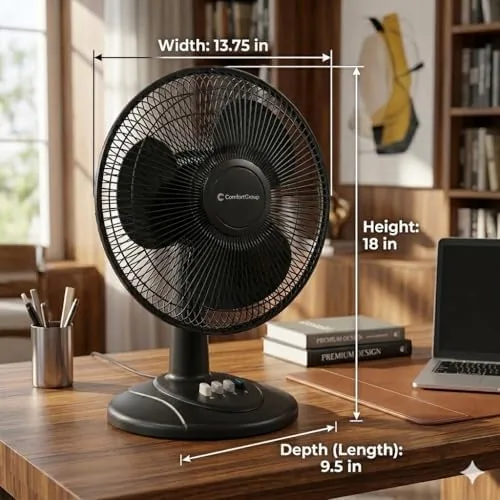
The blade is 12 inches across, and the compact housing sits comfortably on a desk, nightstand, or dorm shelf.
Is this fan quiet enough to sleep with?
At the lowest speed the motor is very quiet and produces a gentle, steady airflow that many people find easier to sleep through than higher fan noise.
As an Amazon Associate, I earn from qualifying purchases.