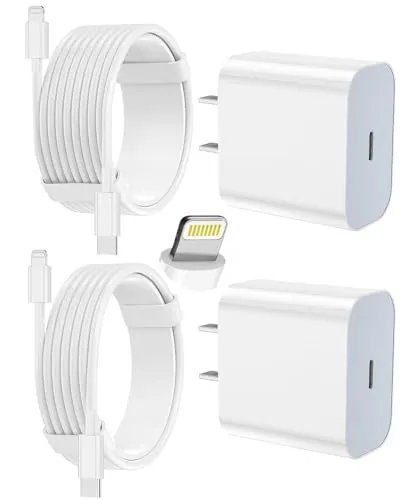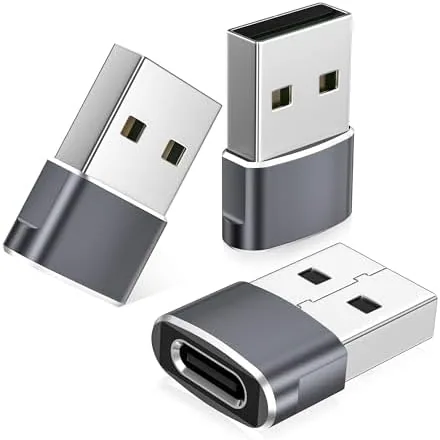

The USB C transition is nearly complete, but most of us still have a drawer full of older USB A cables. Those cables are perfectly good, and the Basesailor USB to USB C adapter exists to keep them useful. It is a tiny piece of hardware that turns the classic USB A plug into a modern USB C connection, and I spent two weeks using one across phones, earbuds, and a smartwatch to see whether a small adapter can truly bridge the gap. This review covers the build, the charging behavior, the data transfer, and the honest limits of the concept.
Before the details, the standard note. This article contains affiliate links, and if you buy through one of them the site earns a small commission at no extra cost to you. That commission does not change what I test or what I recommend, and this adapter was used exactly the way a regular user would use it.
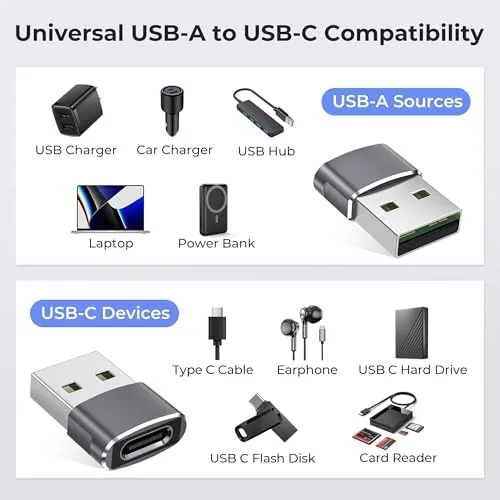
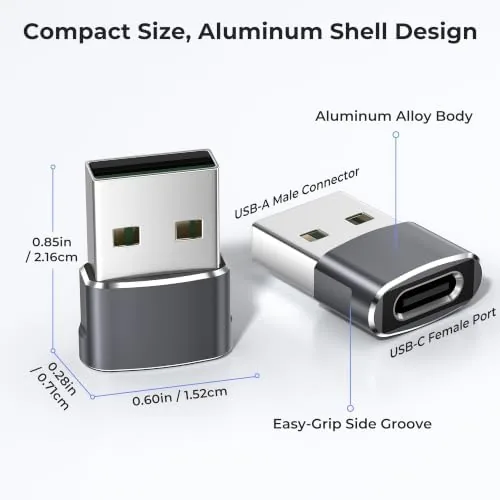
The adapter is a pass through device. It has a USB A male plug on one end that fits into an existing cable, charger, or hub, and a USB C female socket on the other end that accepts a USB C cable or a USB C device. Nothing about the connection is complicated, and that simplicity is the point. The rest of this review walks through the design, the features, the performance, and where this adapter helps most.
Design and Build
The adapter is compact and lightweight, about the size of a knuckle, with a clean molded body that fits flush against the end of a cable. The USB A male plug seats firmly into a standard port with a positive click, and the USB C female socket grips a cable end snugly enough that it does not wiggle loose during normal use. The build feels solid for a device this small, and the compact profile means it adds almost no bulk to a cable.
The finish is a matte, neutral tone that blends into the cables it joins, and the body is shaped so you can grip it when pulling a connection apart. The contact ends are clean and made a reliable connection on every device I tried. There is a small amount of strain relief where the plastic meets the metal, and the Whole unit feels like it will survive the kind of casual abuse a cable drawer dishes out.
Key Features
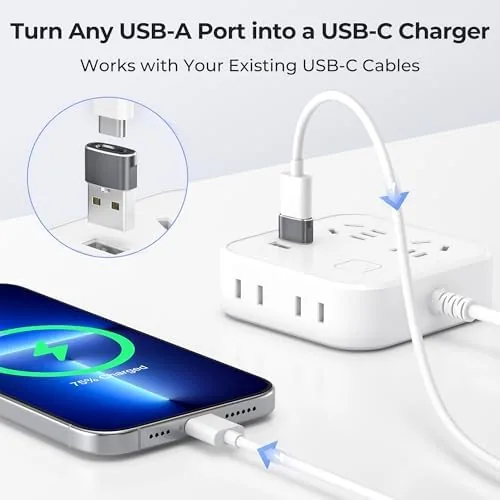
The core feature is converting USB A to USB C without swapping out your existing cables. Instead of buying a new cable for every USB C device you own, one adapter on a trusted cable can handle charging and syncing, which is a genuinely useful way to avoid re buying your whole cable collection. The adapter works in both directions of the same role, letting an old USB A cable drive a USB C device.
Compatibility is the second feature worth calling out. The listing covers iPhones in the 15, 16, and 17 families including the Pro Max, 17e, and 16 models, the Apple Watch through the S11 and S10 range, AirPods, iPad mini and Air, and the Samsung Galaxy S25 and S26 line. In practice it works with any USB C device, and it is especially handy for accessories like earbuds and smartwatch chargers that ship with USB C ends.
Real-World Performance
The real question for any USB C adapter is whether charging behaves normally, and the answer here is yes. I plugged the adapter onto a standard USB A charging cable, ran it to a phone, and the phone charged steadily with no connection drops and no unusual heat. The pass through design does not add friction to the power path, so the charge rate is effectively the same as the cable alone could deliver.
The speed ceiling is set by the source, not the adapter. A standard USB A charger, which most of these adapters are used with, tops out at a modest current compared to a modern USB C power delivery brick. That means the adapter is perfect for overnight charging, a top up during the day, and powering accessories, but it will not unlock the fastest fast charging speeds that a dedicated USB C to USB C cable and power delivery charger can reach.
Data transfer worked as expected. I used the adapter to connect a phone to a laptop for a file sync, and the connection was recognized immediately with normal transfer speeds for a standard USB A port. It is a practical solution for syncing photos and moving files, though it is not built as a high speed data cable, because the limit is the USB A port itself rather than the adapter.
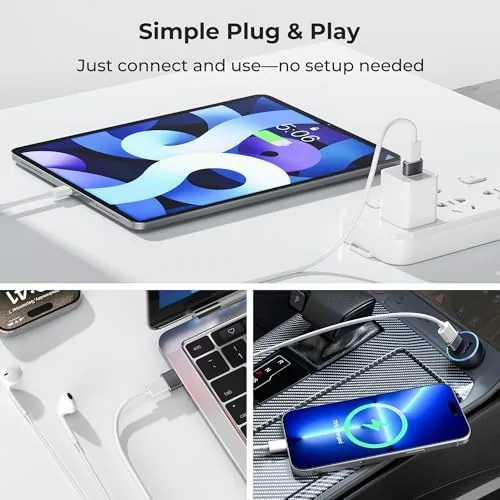
The Apple Watch and earbuds scenario was where the adapter earned its keep. Chargers for those accessories often end up with a USB A cable on one side, and the adapter let me plug modern USB C accessories into those existing setups without a second cable. That kind of small compatibility win is the real value of a converter like this, because it quietly solves a daily annoyance.
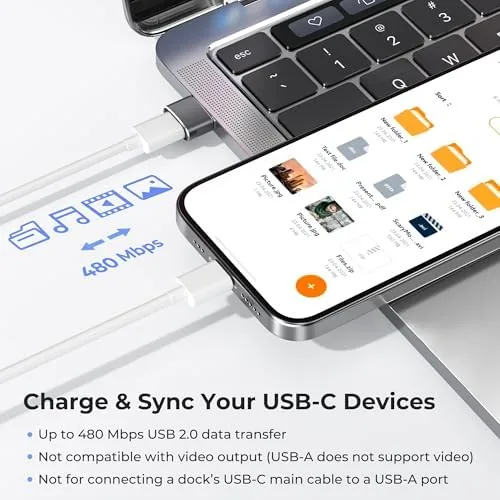
The limits are honest ones. The adapter is built around the standard USB A current limit, so anyone expecting flagship fast charging will be disappointed, and the small size means it is easy to lose in a bag or drawer if you do not keep it attached to a cable. The USB C female socket also means the adapter works best when you are adding a USB C cable onto a USB A source, rather than as a standalone quick fix for every scenario.
One more detail earned respect over the two weeks. The connection stayed solid across dozens of plug and unplug cycles, and the adapter never loosened on any cable or device. For a part that only costs a few dollars, the build quality felt reassuringly consistent.
Pros and Cons
Pros:
- Converts existing USB A cables to USB C without re buying cables
- Compact, lightweight design that adds no bulk
- Reliable charging and data transfer across devices
- Works with phones, earbuds, smartwatch chargers, and tablets
- Solid connection that does not loosen with use
- Inexpensive way to extend the life of a cable collection
Cons:
- Standard USB A current limit caps fast charging speed
- Small size makes it easy to misplace
- Works best when added to an existing USB A cable
- Not a high speed data solution
How It Compares
The adapter competes with a few different solutions, and the main alternatives are buying new USB C cables, a USB C hub, and a cable with a detachable head. The table below lines up the options.
| Feature | Basesailor Adapter | New USB C Cable | USB C Hub |
|---|---|---|---|
| Cost | Low | Low per cable | Higher |
| Reuses old cables | Yes | No | No |
| Fast charging | Limited by USB A | Depends on cable | Depends on hub |
| Portability | Pocket size | Cable length | Bulkier |
| Best for | Fixing existing cables | Fresh setups | Multi device desks |
If you have a drawer full of good USB A cables and a few USB C devices, the adapter is the cheapest way to bridge the gap, and you can keep it attached to your favorite cable so it never gets lost. If you are building a fresh setup and want the fastest charging, a new USB C cable is the better choice. If you need multiple connections on a desk, a hub does more, but it costs more and takes up space the adapter does not.
Who Should Buy It
Buy the Basesailor adapter if you want to keep using older USB A cables, if you have accessories like earbuds and smartwatch chargers that need a USB C connection, or if you travel with a spare USB A cable and want it to work with everything. It is also a smart pick for anyone who keeps a small tech kit and wants one tiny part to cover multiple devices.
Skip it if you have already moved every charger to USB C and never touch a USB A port, and skip it if you need power delivery fast charging, which requires the modern USB C standard on both ends. If the adapter idea sounds useful, you can check the current price of the Basesailor USB to USB C adapter on Amazon.
How We Test
I used the adapter over two weeks with a phone, a pair of USB C earbuds, an Apple Watch charger, and a laptop for a file sync. I charged devices from a standard USB A wall adapter and a Power Bank, and I repeatedly connected and disconnected the adapter to check for loosening and connection quality.
I did not test the adapter with a USB C power delivery brick, because the standard USB A input does not support that fast charging standard. For a deeper explanation of the USB C standard and power delivery, CNET explains what USB C is and how it differs from older USB types. The Basesailor adapter listing on Amazon shows the full compatibility list and current pricing.
Basesailor USB to USB C Adapter: Questions People Ask
Does the Basesailor USB C adapter supPort Fast Charging?
It passes through the charging speed your cable and charger already support, so fast charging works when the source adapter and cable can deliver it.
Can I use this adapter for data transfer?
Yes, the adapter carries data between a USB A port and a USB C device, which works for syncing, file transfer, and connecting peripherals.
Which devices work with the adapter?
It works with USB C phones, AirPods, Apple Watch chargers, iPads, and Android models, though the standard USB A current limit caps big tablet charging speeds.
How do I use the adapter correctly?
Plug the USB A male end into a cable or charger and the USB C female end into your device, keeping the orientation clean so the connection seats fully.
As an Amazon Associate, I earn from qualifying purchases.