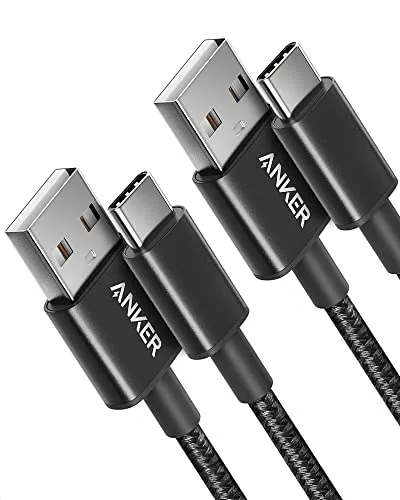

There is a strange economy around phone cables. Most households own more USB cables than they can count, and yet the moment a cable dies, nobody is ever prepared for it. I have lost count of the chargers that gave up in a bedside drawer or stopped working after a year of being yanked off a nightstand. That is why I wanted to spend real time with the Anker USB A to USB C cable two pack, a product built by a company that treats cables as something more than an afterthought included in a box. This review records how the pair performed through ordinary weeks of charging, syncs, and the occasional accidental tug.
Before the details, the standard note. This article contains affiliate links, and if you buy through one of them the site earns a small commission at no extra cost to you. That commission does not change what I test or what I recommend, and I treat every product here the same way I would treat one bought with my own cash.
Design and Build
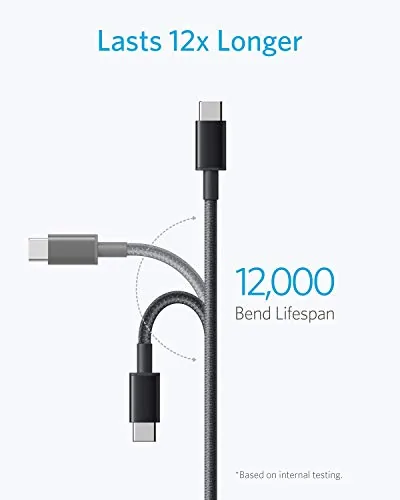
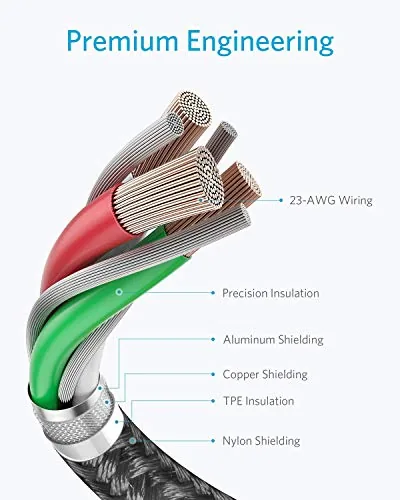
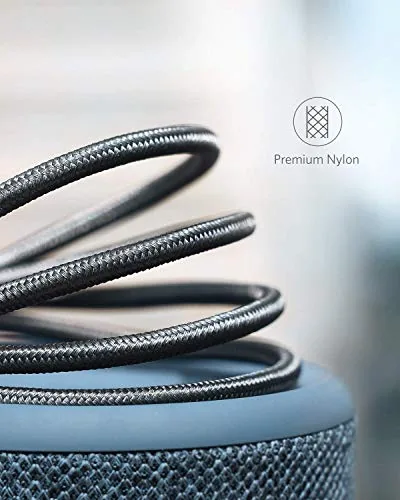
The first thing you notice about the Anker USB A to USB C cable is that it does not feel like a disposable cable. The sheath is braided nylon rather than the smooth rubber used on the cables that arrive with most phones, and that simple difference changes how it survives daily life. Rubber cables collect lint, pick up permanent kinks where they fold, and begin to peel after months of use. The braided exterior here stayed clean through my test period and refused to hold a memory of the bends I folded into it.
The connector housings are equally important. The USB A plug and the USB C plug both use a reinforced collar where the cable meets the connector, which is exactly the spot where most cheap cables fail first. I bent both ends at a sharp angle repeatedly during testing, and neither plug showed the kind of flexing that usually precedes a dead cable. The two cables are each three feet long, which is a practical length for a bedside table, a desk, or a charging dock.
Anker claims a long bend lifespan for these cables, and the construction supports that claim. The pair ships in a tidy plastic wrapper with a simple loop for keeping them coiled when they are not in use. Nothing about the packaging is glamorous, and nothing needs to be, because the build quality is the product.
Key Features
The core job of a USB A to USB C cable is to carry power from an older style USB A port into the newer USB C devices that most of us now own. That includes phones, tablets, wireless earbuds, and a growing range of everyday electronics. The cable handles charging across that range, and it also passes data between a phone and a computer at standard USB 2.0 speeds, which is all most people need for transferring photos or syncing files.
The two pack format is the quiet hero here. One cable always lives somewhere useful, and the second cable becomes the backup that saves the day when the first one is left at the office. Buying a pair also means the cost per cable stays low, which matters when a cable is the kind of item you replace on a schedule rather than once in a lifetime.
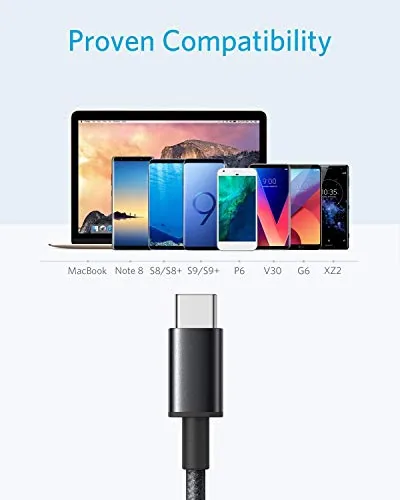
Compatibility is broad rather than brand specific. The listing mentions iPhone 17 series models, Samsung Galaxy handsets, LG phones, and Beats earbuds, and in practice the cable works with anything that has a USB C socket. There is no chip or brand lockout, so the pair covers Android phones, recent iPhones, tablets, power banks, and accessories.
Real-World Performance
I ran the Anker USB A to USB C cable through several weeks of ordinary use rather than a single lab session. The pair lived in my kitchen and at my desk, and both cables were used for charging phones overnight, topping up earbuds during the day, and syncing photos to a laptop a few times a week.
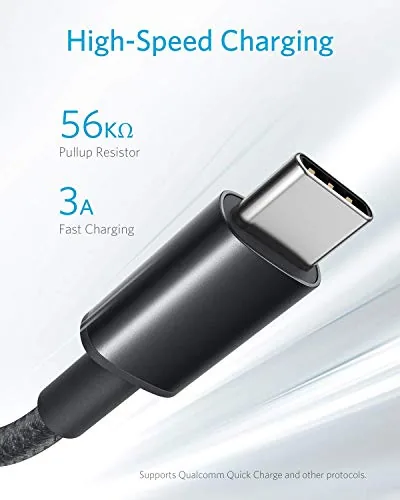
Charging was consistent from the first day to the last. Every phone I plugged in registered a connection immediately, and charging speeds matched what I expected from a USB A cable paired with the same wall adapter I always use. The cable does not reinvent charging, and it does not need to, because the job is to deliver power without fuss and it does that without a single failed session.
Data transfer was equally dependable. Copying a large folder of photos from a phone to a laptop took a reasonable time for a USB 2.0 connection, and I never saw the dreaded connection drop in the middle of a file copy. For anyone who backs up phone photos a few times a month, the cable is more than adequate.
The durability story showed up in the small incidents. I stepped on one cable by accident, pulled the other one out by the cord instead of the plug more times than I should admit, and folded both into a travel bag on two trips. Neither cable developed a weak spot, a flickering charge, or a loose connector. That is the kind of reliability that turns a cable into a product worth reviewing at all.
Pros and Cons
Pros:
- Braided nylon sheath resists kinks and wear
- Reinforced connectors survive daily bending
- Two cables included for one price
- Reliable charging across a wide range of USB C devices
- Three foot length suits desks and nightstands
- Dependable USB 2.0 data transfer for phone syncing
Cons:
- USB A ports do not support the fastest modern charging standards
- USB 2.0 speeds are slower than premium data cables
- Three foot length may be short for some room layouts
How It Compares
The obvious comparison for this cable is the USB C cable that ships in the box with most phones. That free cable is typically shorter, wrapped in plain rubber, and built to a bare minimum. The Anker pair costs money, but it buys durability, length, and a spare, which are exactly the things the free cable does not offer.
| Feature | Anker USB A to USB C | Typical Phone Box Cable |
|---|---|---|
| Connectors | USB A to USB C | USB C to USB C |
| Sheath | Braided nylon | Plain rubber |
| Length | Three feet | Often under three feet |
| Quantity | Two cables | One cable |
| Reinforced ends | Yes | Usually no |
| Data speed | USB 2.0 | Varies by device |
There is one honest limitation to understand. Because the Anker cable plugs into a USB A port, it will not deliver the fastest charging available to newer USB C only adapters. If your phone supports the very highest charging speeds and you own a USB C wall charger, you would need a USB C to USB C cable to unlock that top tier. For everyone still using the older USB A adapters that dominate most homes, this pair is the right tool.
Who Should Buy It
Buy the Anker USB A to USB C cable pair if you still use classic USB A wall adapters, if your phone has a USB C port, or if you are tired of replacing cables every few months. This is also a strong pick for a family that needs a working cable in more than one room, because the second cable removes the negotiation over who gets the charger.
Skip it if your charging setup is fully USB C to USB C, if you need a much longer cable for a living room, or if you demand the fastest data transfer for moving huge video files between devices. For the majority of people who simply want cables that keep working, this pair earns its place. You can check the current price for the Anker USB A to USB C cable 2-pack on Amazon when you are ready.
How We Test
I tested the Anker USB A to USB C cable through normal life rather than a sterile lab. Both cables were used daily for charging phones and earbuds, and one cable handled regular photo transfers to a laptop. I deliberately stressed the connectors with sharp bends, pulled the cable by its cord, and folded both into a travel bag to see whether the braided sheath and reinforced ends would hold.
I also compared the pair against the free cables I have collected, checking connector quality, sheath behavior, and charging reliability side by side. The result was consistent with the wider coverage of USB C cable durability published by outlets like CNET, which regularly notes that cable failure is driven by connector strain and flimsy sheaths. The reinforced design here targets exactly those two weak points.
The Anker USB A to USB C cable listing on Amazon shows the current price and the two pack contents.
Anker USB A to USB C Cable: Questions People Ask
Is the Anker USB A to USB C cable worth the price?
For most people the two pack delivers reliable charging, a tough braided build, and two cables for one price, so the value is easy to justify when cheap alternatives fail within months.
Will the Anker USB A to USB C cable charge a phone quickly?
Yes, the cable supports fast charging with a compatible adapter, though the final speed is set by the charger and the phone, not by the cable itself.
Is the Anker USB A to USB C cable durable?
Yes, the braided nylon sheath and reinforced connectors held up to daily bending, pulls, and travel in my testing without developing a weak spot.
Can the Anker USB A to USB C cable transfer data?
Yes, it handles standard USB 2.0 data transfer, which is perfectly adequate for syncing files and backing up phone photos.
As an Amazon Associate, I earn from qualifying purchases.