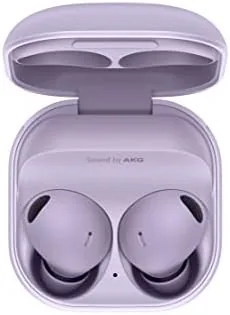

Most earbud reviews stop at the sound and The Noise cancelling. That misses the half of the story that decides whether you actually reach for the buds every day, which is how well they move between your phone, your tablet, your laptop, and your calls. I spent three weeks treating the Samsung Galaxy Buds 2 Pro as the hub of my wireless routine, pairing them with a Galaxy phone, an Android tablet, and a Windows laptop, and this review is about connectivity first and sound second.
Before the details, the standard note. This article contains affiliate links, and if you buy through one of them the site earns a small commission at no extra cost to you. That commission does not change what I test or what I recommend, and the buds reviewed here were used exactly as a buyer would use them across a typical workday.
The Buds 2 Pro carry a complete set of wireless tricks: multipoint connections, automatic switching between Galaxy devices, a high-resolution codec, and a management app that controls all of it. The question is whether those features work smoothly in practice or stay buried in marketing copy, and that is what the sections below answer.
Design and Build
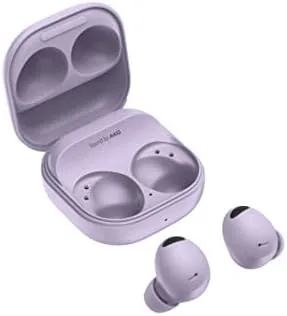
The hardware side is familiar to anyone who has seen a Samsung wearable. Each bud is a rounded, compact shell with a matte finish, and the Bora Purple color has a soft, muted tone that reads as purple in daylight and near navy in dimmer rooms. The case is pocket friendly, with a spring-loaded lid and strong magnets that keep both buds seated no matter how roughly the case lands in a bag.
The build feels properly finished. The nozzle angles into the ear comfortably, the three microphones per side are tucked flush with the shell, and the touch zones are clearly marked on the outer surface. IPX7 water resistance protects the buds themselves against sweat and rain, which is more than many competitors manage, though the case carries no such rating and should stay dry.
Key Features
Multipoint is the feature that anchors the workflow. The buds hold connections to two devices at once, so music can keep playing on the tablet while a call from the phone cuts in automatically, then hands back to the tablet when the call ends. In my testing the handoff happened quickly and without the stutter that plagues cheaper multipoint implementations.
Automatic switching extends the idea across the Galaxy family. When your phone, tablet, and buds all carry the same Samsung account, the buds follow whichever device is playing audio, so a video started on the phone transfers to the tablet without a single button press. The logic is smart in theory and mostly smart in practice, though it occasionally needed a tap on the screen to settle the transition.
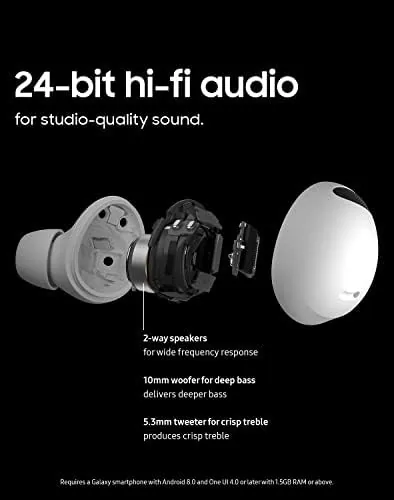
The audio side is powered by Samsung Seamless Codec. The codec carries 24-bit audio between a Galaxy phone and the buds for richer playback, then shifts to a more robust mode during calls to keep voice stable. The Galaxy Wearable app ties it all together, with equalizer presets, touch control remapping, a fit test, and firmware updates in one place.
Real-World Performance
The multipoint experience won me over within the first day. I kept the buds linked to the phone and the laptop at the same time, and a meeting call on the laptop interrupted the music playing from the phone the moment it started. When the call ended, playback resumed on the phone without any fuss, which is exactly the behavior you want from a pair of work earbuds.
Automatic switching between Galaxy devices was close behind. Starting a video on the tablet while the phone sat idle moved the audio over within a second, and answering a call on the phone pulled the buds back with it. The system tripped up a handful of times when two apps on different devices demanded audio at once, but a tap on the play button always restored order.
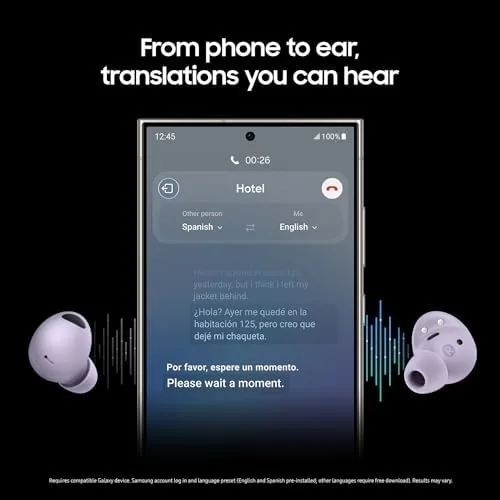
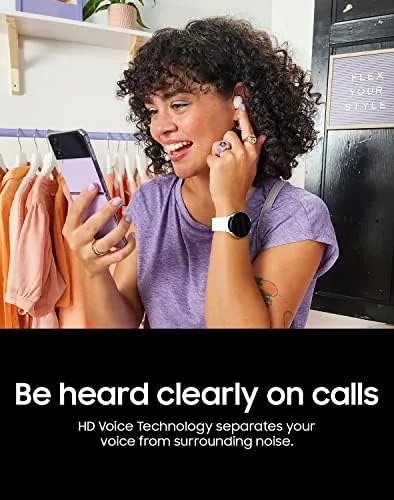
Call reliability was the quiet winner. Across office calls, driveway conversations, and a noisy walk to the store, the triple microphone array kept my voice clear and the caller reported little background bleed. The buds handled an hour of continuous talking without dropout, and the connection never stuttered once paired, which matters more than any spec sheet.
Battery management deserves attention for heavy users. Playback with noise cancelling on runs about five hours, and the case adds roughly three more charges for an eighteen hour total. That is enough for a long workday with a lunchtime top-up, and a quick ten minute charge in the case recovered a solid listening session when I was running out the door.
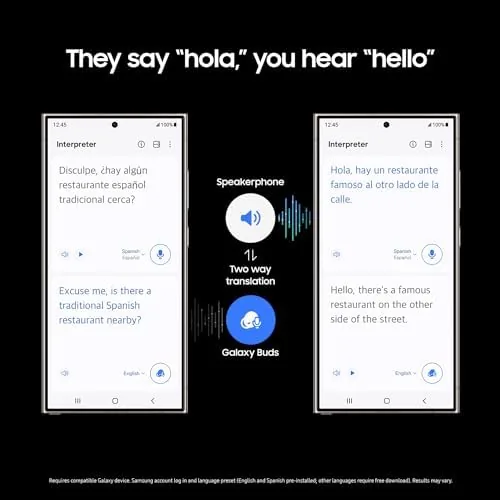
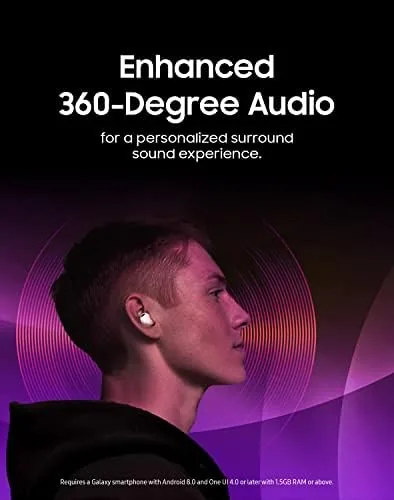
The Windows pairing surprised me with its cleanliness. The buds connected to the laptop as a standard Bluetooth headset, and Windows swapped between the headset and hands-free profiles automatically during calls, so audio quality stayed high for music and crisp for meetings. Samsung-exclusive tricks like 360 audio stayed out of reach, but the basics were rock solid.
The app earned a note of its own. The Galaxy Wearable app showed the battery level of each bud and the case on the home screen, which made topping up a habit rather than a guessing game, and the find-my-buds feature played a tone from each earbud when I dropped one under the desk. Settings carried cleanly between the phone and the tablet, and firmware updates arrived quietly in the background, the kind of polish that keeps a wireless workflow feeling modern.
Pros and Cons
Pros:
- Reliable multipoint connection across two devices
- Automatic switching between Galaxy phone, tablet, and buds
- Seamless Codec delivers 24-bit audio on Galaxy phones
- Strong and stable call performance all day
- Clean Windows pairing with automatic profile switching
- Compact build with IPX7 water resistance
Cons:
- Battery life is modest at about five hours with ANC
- Automatic switching can hesitate between two active apps
- Best features require the Galaxy ecosystem
How It Compares
The closest comparison for connectivity is the Galaxy Buds 2, the step-down model without the Pro codec. The table below lines up the two on the things that matter for a wireless workflow.
| Feature | Buds 2 Pro | Galaxy Buds 2 |
|---|---|---|
| Multipoint | Yes, two devices | Limited |
| Seamless Codec | 24-bit audio | Standard codecs |
| Noise cancelling | Strong, adaptive | Basic |
| Water resistance | IPX7 | IPX2 |
| Microphones | Three per side | Two per side |
| Price | Higher | Lower |
If your day runs on seamless device hopping, the Buds 2 Pro justify the extra cost, because the 24-bit codec, adaptive noise cancelling, and richer microphone array all feed into a smoother workflow. If you simply want music that sounds good and only switch devices occasionally, the Galaxy Buds 2 save money without much pain. The Pro model is the better tool for people who live in their audio connections.
Who Should Buy It
Buy the Galaxy Buds 2 Pro if your week involves a phone, a tablet, and a laptop pulling audio in sequence, and especially if all of those devices live in the Galaxy family. They are also the right pick if you spend hours on calls, because the microphone array and stable connection carry a full workday with ease.
Skip them if you are solidly on iOS or Windows only, because the automatic switching and Seamless Codec stay locked to Samsung hardware, or if battery stamina matters more than connectivity polish. For buyers inside the ecosystem, you can check the current price of the Galaxy Buds 2 Pro on Amazon to see how the Bora Purple version is priced today.
How We Test
I used the Galaxy Buds 2 Pro as my primary audio for three weeks, pairing them with a Galaxy phone, an Android tablet, and a Windows laptop. I tested multipoint by juggling music and calls across the three devices, automatic switching with the same Samsung account, and call quality on office calls and outdoor walks.
I judged audio performance by ear against a wired headset and the Galaxy Buds 2, and I did not submerge the buds despite the IP7 rating. For a broader view of wireless earbud connectivity, TechRadar publishes a regularly updated guide to the best wireless earbuds that is worth reading. The Galaxy Buds 2 Pro listing on Amazon has the current price and the US version details.
Questions People Ask
Can Galaxy Buds 2 Pro connect to two devices at once?
Yes, the buds support multipoint connections so you can stay linked to two devices, and they switch audio automatically when you start or answer a call.
Do Galaxy Buds 2 Pro work well with Windows PCs?
They pair as a standard Bluetooth headset, so they work for calls and media, though Samsung-exclusive features like 360 audio need the Galaxy Wearable app.
What is Samsung Seamless Codec on the Buds 2 Pro?
It is Samsung high-resolution codec that carries 24-bit audio between a Galaxy phone and the buds, and it switches to a more stable connection during calls.
Do the buds switch automatically between my phone and tablet?
With Galaxy devices signed into the same Samsung account, the buds switch automatically based on which device is playing audio.
As an Amazon Associate, I earn from qualifying purchases.