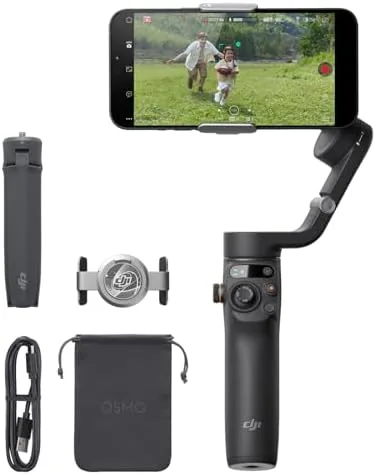

Holding a smartphone steady while you walk is one of those things that looks simple until you try it, and the shake in the result is the reason phone gimbals exist. This review is the record of five weeks with the DJI Osmo Mobile 6 as my main way of shooting walking shots and quick vlogs on a phone, across streets, stairs, and a handful of dull evenings at home. The honest verdict is that the Osmo Mobile 6 is the easiest phone stabiliser I have used, and the fold is what finally makes the category worth carrying.
Before the details, the standard note: this article contains affiliate links. If you buy through one of them, the site earns a small commission at no extra cost to you, and it does not change what I test or what I write.
Design and Build
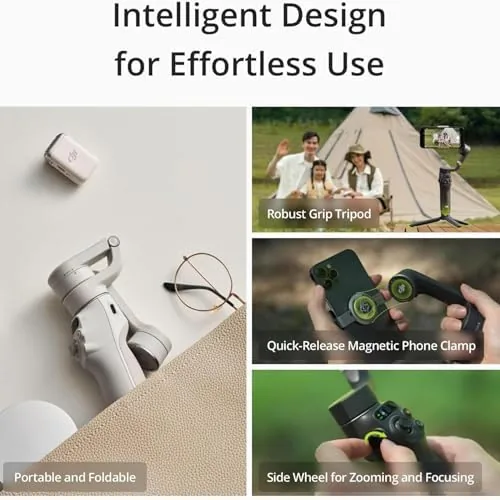
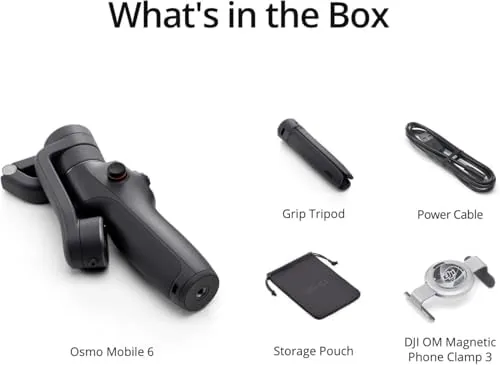
The Osmo Mobile 6 folds into a neat little brick that drops into a small bag or a jacket pocket, and that changes everything. Older gimbals were bulky tubes you had to talk yourself into carrying; this one folds flat in seconds, holds a phone firmly in the clamp, and extends into a stabiliser arm that feels well made.
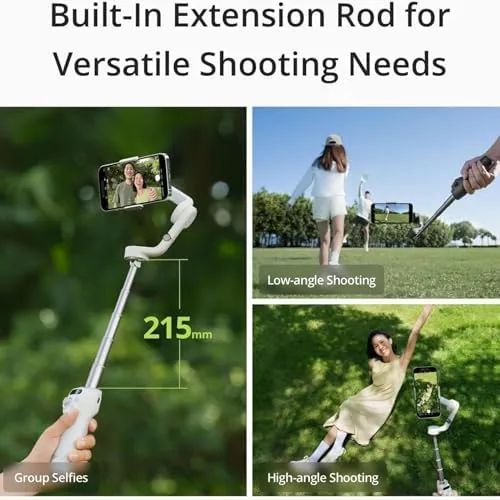
The build is dense and confident. The hinge locks with authority, the clamp grips a phone without touching the buttons, and there is a built-in extension rod that slides out a few inches when you want a wider angle or a higher shot. The hold is comfortable, and the whole device stays free of rattle.
The control is thoughtful: a record button, a joystick for the pan and tilt, a dial for focus, and a mode button. It sounds like a lot, but in practice the placement is where your thumb already sits, and after an afternoon you stop hunting for the buttons.
Key Features
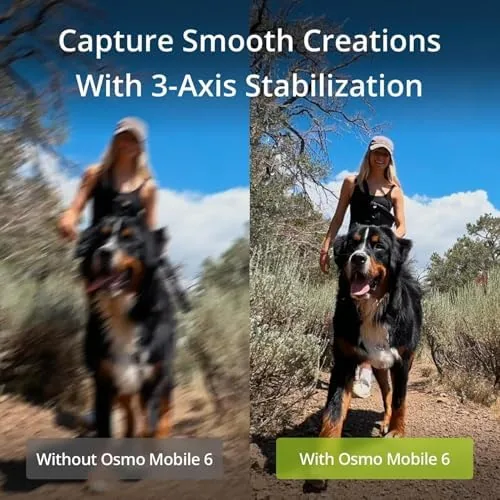
The headline is the 3-axis stabilization, and it is genuinely good. Walking shots stay level, the horizon holds even on uneven ground, and the pan of a slow turn comes out smooth instead of juddering. In practice that is the entire reason someone buys a gimbal, and it delivers.
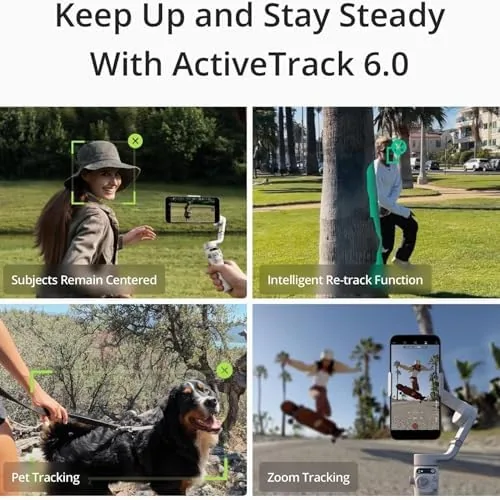
Then there is active tracking, which locks the gimbal's camera onto a moving subject, a dog, a child or a person walking, and steers the phone to follow them. It is impressive to watch and, in my tracking, held a target across a busy room far better than I expected. For someone filming themselves alone there is no helper with hands; this covers that job.
There is also ShotGuides, a guided set of moves that walks a beginner through a specific clip, and they made my first few attempts look far stronger than they had any right to. The whole point is that a novice can put the phone in the clamp, follow a prompt, and come away with something worth posting.
Real-World Performance
The battery is a highlight. DJI rates the Osmo for about six and a half hours, and in my weeks of use it rarely needed a charge before a full day of shooting was done. It tops up over USB-C, and I kept it going through a whole walk and an event on a single charge.
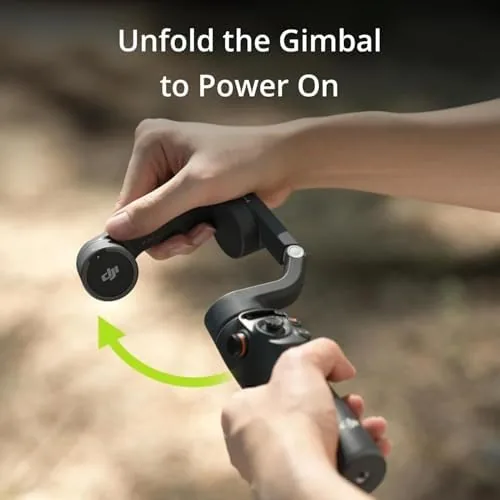
In practice, the footage is steady over stairs and ramps, the active fold holds a subject even as they move quickly, and the extension rod is a real gift for taking a selfie that does not crop the whole head out of frame. The control to reach a capture was reliable, and the gimbal turned with it smoothly.
An honest note is the learning curve. The app is powerful and can overwhelm at first glance, with modes and settings that take a session to absorb. Once I set it to its basic option the daily experience was smooth; the richer tools are there when you dig in. That is a fair balance for a device that is sold to both Beginners and people who know what they are doing.
Pros and Cons
Pros:
- 3-axis stabilization that keeps walking video smooth
- Foldable design is the reason to carry it daily
- Built-in extension rod for wide and higher angles
- Active tracking and ShotGuides for the beginner
- Long, dependable battery with USB-C charging
Cons:
- The app has a learning curve at first
- Not designed for very small or enormous phones
- Premium price above simpler phone holders
- Active tracking wants a decent light source
How It Compares
The obvious rival is the Hohem iSteady and the DJI Osmo Mobile SE. The SE is a lighter, cheaper spin on the same idea without the extension feature and some of the dials; the Hoem, set equal a smart locking gimbal, beats the arm on price but not on the polish of the DJI app.
| Feature | DJI Osmo Mobile 6 | Hoem Smart Fold |
|---|---|---|
| Axis | 3-axis gimbal | 3-axis gimbal |
| Extension | Built-in rod | None |
| Tracking | Active track | Active track |
| App | DJI Mimo | Hoem companion |
Against a cheap plastic phone holder, the Osmo Mobile 6 is a real difference: it stabilizes, it tracks, and it teaches you. The trade is the price and the learning curve. For someone who posts movement or a walk shot, the Osmo Mobile 6 is the option that does not beg to be returned.
Who Should Buy the DJI Osmo Mobile 6
Buy it if you want to shoot steady video on a phone, in motion, and want to do it without learning a camera. The fold means you can actually carry it with you, and for a beginner vlogger the ShotGuides are a real learning win.
Skip it if you never shoot video on your phone, or if you are happy with a static tripod for your shots. You can check the DJI Osmo Mobile 6 price and options on Amazon when you are ready.
How We Test
I used the Osmo Mobile 6 for five weeks, shooting walking shots, vlogs and a couple of higher-angle clips with an iPhone. I judged the stability, the battery, the tracking and the ease of use in real shooting rather than at a desk.
I compared the gimbal against the cheaper iSteady and the phone I already carried, so the verdict reflects daily shooting. Independent testing, such as The Verge review of the DJI Osmo Mobile 6, is a useful second opinion.
If you are pairing it with a phone, my other reviews can round out the setup. When you decide, the DJI Osmo Mobile 6 listing on Amazon has the current options.
DJI Osmo Mobile 6: Questions People Ask
Does the Osmo Mobile 6 work with Android and iPhone?
Yes. The DJI Mimo app runs on both, and the gimbal connects over Bluetooth and clamps a wide range of phone sizes.
How long does the battery last?
Around six and a half hours on the scale in my test, which covered a good day of use, and it charges over USB-C.
Is there a subscription?
No. The app, the tracking and the ShotGuides run without a subscription; the optional cost is only the DJI care extended insurance.
Is it worth it compared with a holder?
If you want steady, tracking video on the move, yes. A static phone clamp simply cannot do this; the gimbal is a genuine upgrade; skip it only if you never shoot motion.
As an Amazon Associate, I earn from qualifying purchases.