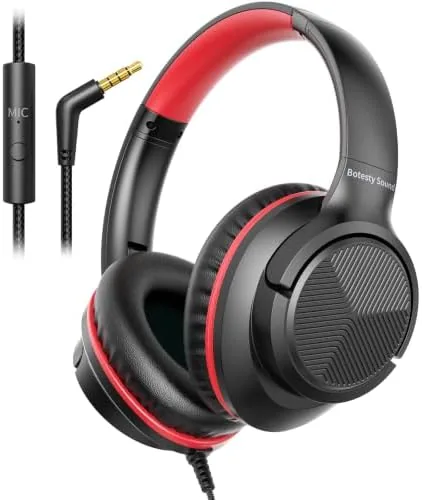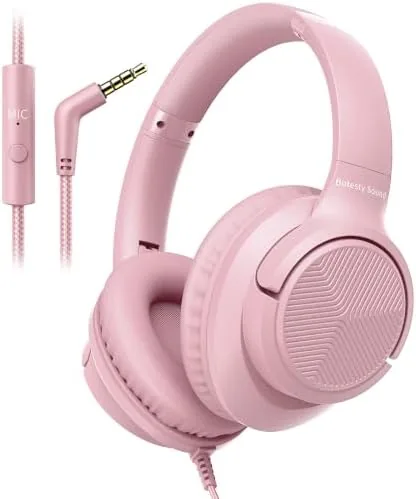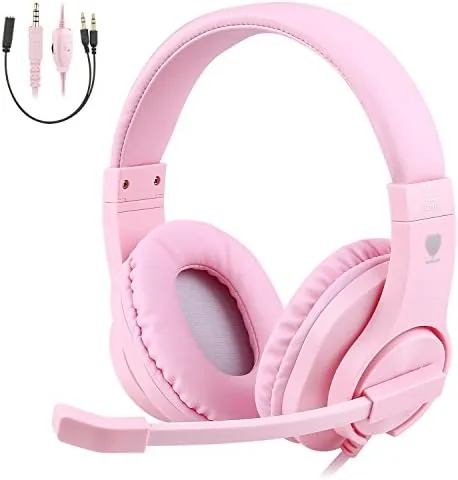

Parents know the drill. Online classes start at nine, the house is suddenly quiet, and the child needs headphones that work without a setup manual, a charging cable, or a pairing routine that takes three attempts. The BlueFire Kids Headphones approach that problem with deliberate simplicity: a wired 3.5mm connection, an adjustable over-ear fit, a working microphone, and a price that does not make you wince when they end up under a couch cushion. I spent two weeks with the pink version, passing them between a student and a pair of younger testers, to see how this budget headset survives the daily rhythm of school and gaming.
The usual disclosure applies. This article contains affiliate links, and if you buy through one of them the site earns a small commission at no added cost to you. That does not affect my verdict, and these headphones were used the way a real family would use them. You can view the BlueFire headphones on Amazon to compare colors and current pricing.
Design and Build
The BlueFire headphones take a conventional over-ear shape, which is the right choice for kids because it distributes pressure across the whole ear rather than pinching it. The pink finish is bright without being loud, and the overall look is friendly enough for a schoolbag yet neutral enough that older kids will not feel embarrassed wearing them. The headband is padded on top, and both earcups swivel flat, so the whole set folds into a compact shape that slides into a backpack pocket.
Build quality at this price is a question of expectations. The plastic is smooth and fairly sturdy, and the adjustment sliders click into position with clear detents, so the size does not drift as a child moves around. What gives me pause is the cable. It is a braided cord that feels tougher than the typical bargain headset, but it is permanently attached rather than removable, which means the headset is finished the day the wire develops a fault. For a kid who treats gear roughly, that is the single most likely point of failure.
Key Features
The headline feature is the wired 3.5mm connection, which requires no battery, no pairing, and no app. Plug it into a Chromebook, a laptop, a tablet with a headphone jack, a phone, or the controller port on a PlayStation 4 or 5, and the headphones simply work. That compatibility across school hardware is the main reason parents pick these over wireless alternatives, because nothing is worse than a dead headset battery five minutes into a math lesson.
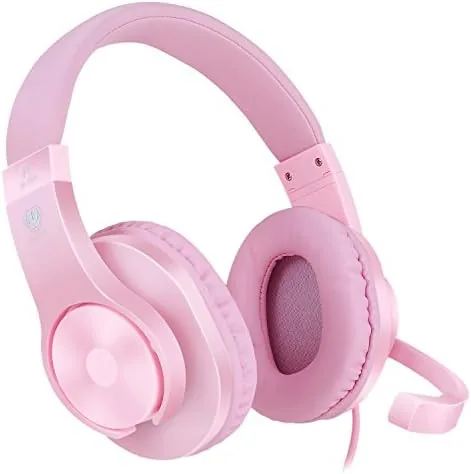
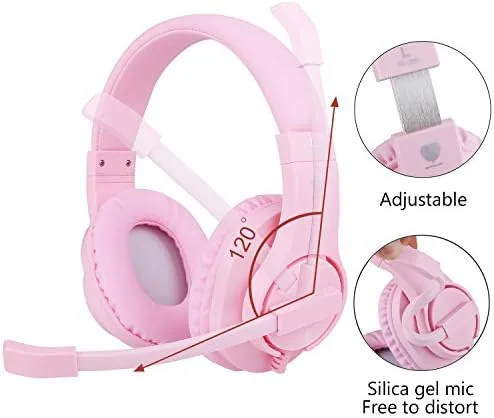
A flexible boom microphone rises from the left earcup, and it does the job of capturing the voice clearly during video classes and online games. The mic arm bends into position and holds it, which matters for younger kids who do not fine tune their own audio setup. On the cable itself sits an inline control with a volume wheel and a mute switch, a thoughtful detail that lets a child lower the volume without touching the device and lets a parent mute quickly from across the room.
The drivers are 40 millimeter units, which is a solid size for a kids headset. They deliver a neutral sound that favors speech clarity, which is exactly what online learning needs, and the closed back design keeps the sound from leaking out and disturbing siblings. There is a right and left marker on the inside of each earcup to help kids put them on the correct way, which sounds trivial until you watch a six year old try to figure it out.
Real-World Performance
The school test came first. Through a full morning of video lessons, the teacher's voice stayed clear, and the students on the other end could hear the child without repeated "can you repeat that" interruptions. The mic does compress the voice a little, which is normal for a budget headset, but for class participation it is entirely sufficient. The volume wheel on the cable is a genuine quality of life win, because the child could adjust levels during a video without fumbling for the Chromebook keyboard.
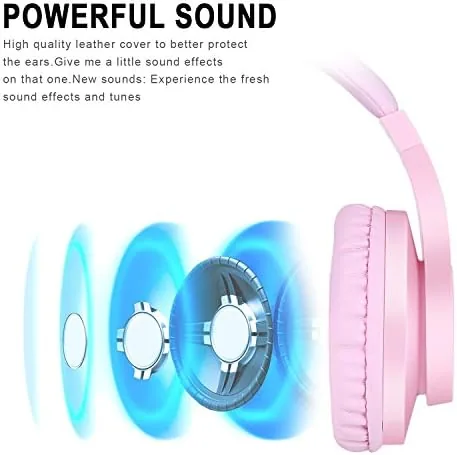
Comfort is the metric that decides whether headphones get used, and here the BlueFire performs well for a budget set. Two hours of wear did not produce complaints about sore ears or a hot head, and the adjustable band accommodated a small and a medium head size in the same household. The earpads are foam with a thin leatherette cover, which is soft but not plush, and they are not replaceable. When the foam eventually flattens after months of use, the headset will likely be replaced as a whole rather than repaired.
Gaming duty was next, because these are marketed for consoles as well as school. On a PlayStation 5 controller, chat came through cleanly and teammates could hear the player's voice without issue. The 40 millimeter drivers handle game audio reasonably, with speech and sound effects clear, though bass is modest. Explosions and music lack the low end weight that an adult gaming headset delivers, but for a child the clarity matters more than the rumble.
There are limits worth naming honestly. The ear cups do not isolate much outside noise, so a loud room will bleed into the audio, and the open sound of the family television can compete with a lesson. The volume range is also fixed by the connected device, so the inline wheel adjusts within the device's own limits. These are typical constraints for the category rather than flaws unique to this headset.
Pros and Cons
Pros:
- Wired 3.5mm connection works with nearly any school or console device
- No battery to charge, pair, or lose during a school day
- Clear voice pickup for video lessons and online games
- Inline volume wheel and mute switch on the cable
- Adjustable, comfortable fit for a range of head sizes
- Folds flat for easy backpack storage
Cons:
- Cable is permanently attached and is the likely first failure point
- Bass is modest for gaming and music
- Earpads are not replaceable
- Noise isolation is light in loud rooms
How It Compares
Parents choosing headphones for a child usually compare wired budget sets against wireless kids models. The table below shows where the BlueFire sits against a typical wireless kids headphone.
| Feature | BlueFire Kids Headphones | Typical Wireless Kids Headset |
|---|---|---|
| Connection | Wired 3.5mm | Bluetooth |
| Battery | None needed | Rechargeable, can die mid class |
| Setup | Plug in and go | Pairing steps required |
| Microphone | Yes, boom style | Often built into the cup |
| Works with consoles | Yes, via controller jack | Often no |
| Price | Low | Higher |
Wireless sets win on freedom of movement, since there is no cable to catch on a desk edge, but they lose on reliability, battery, and console support. The BlueFire trades the tangle risk for the certainty that it always works, which is a trade most parents of younger children gladly accept. For school use specifically, wired is the more dependable choice.
Who Should Buy It
Buy the BlueFire Kids Headphones for a child who needs dependable audio for online school, a younger gamer who plays on consoles, or a family that wants several working headsets without spending a fortune. The plug in simplicity makes them ideal for classrooms, home learning, and households where devices get swapped around constantly. Parents who are tired of chasing Bluetooth pairing menus will appreciate the zero setup nature.

Skip them if you need wireless freedom, adult grade audio quality, or a replaceable cable. For everyone else, this is one of the most practical budget headphones a family can keep on hand. You can check the current BlueFire Kids Headphones price on Amazon when you are ready.
How We Test
I evaluated these headphones in real conditions over two weeks, with the primary tester being a school age student attending actual online classes. I also passed them between two younger testers to judge the fit range and comfort over extended wear. Voice quality was checked both on the receiving end of a video lesson and through live game chat, and I confirmed compatibility across a Chromebook, a laptop, a tablet, and a PlayStation 5 controller.

I paid special attention to the durability concerns that typically end a kids headset early: the cable, the hinges, and the padding. For broader context on what to look for in children's audio, guides at outlets such as Wirecutter are a solid starting point when comparing kids headphones across brands.
Questions People Ask
Are the BlueFire kids headphones compatible with tablets and laptops?
Yes, anything with a standard 3.5mm headphone jack works, including laptops, Chromebooks, tablets with a jack, and many phones. Simply plug the cable in and the headphones are ready to use with no setup.
Do these headphones have a microphone for online classes?
Yes, there is a flexible boom microphone that captures the voice clearly for video lessons and group calls. The mic can be muted using the switch on the cable, which is useful during school sessions.
Do the BlueFire headphones work with a PlayStation 4 and 5?
Yes, they connect through the 3.5mm jack on the controller, so they work with PS4 and PS5 controllers as well as older Xbox controllers that have a headphone port. In testing, game chat came through clearly.
Are these headphones adjustable for smaller kids?
Yes, the headband extends on both sides with clear click detents, and the ear cups swivel, so the fit adjusts to suit children and teens of different head sizes.
As an Amazon Associate, I earn from qualifying purchases.