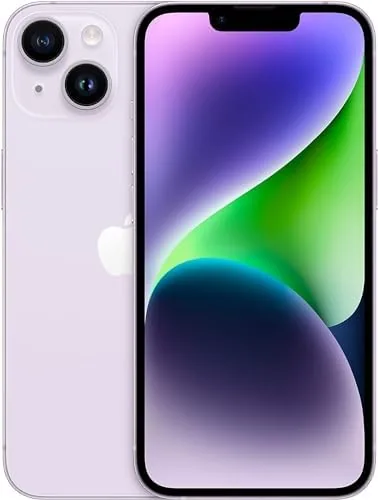

The purple iPhone 14 is the sort of phone people buy for a hundred small reasons: the lilac finish, the familiar layout, the price that no longer requires a payment plan. But the reasons that keep people loyal are quieter. Apple has spent years building privacy tools into the platform, and the fourteen pulls many of them together in one 6.1 inch package, from on device Face ID to Crash Detection to the emergency satellite link. I spent a month with a renewed purple 128GB AT&T model, testing it the way a privacy conscious owner would, with passwords, banking, family tracking, and a long road trip on the schedule.
One disclosure before the review. This article contains affiliate links, and buying through one of them earns this site a small commission at no cost to you. It never changes what I recommend.
Design and Build
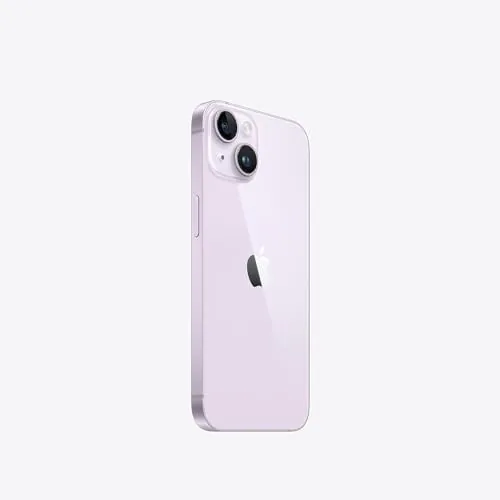
The purple finish is subtle rather than loud, a soft lilac that reads almost silver indoors and reveals its color in natural light. It sits on a glossy glass back that frames the two camera lenses in a clean diagonal, and the matte aluminum frame picks up a hint of the same tone. At 172 grams and 7.8 millimeters thick, the phone is comfortable to hold for long stretches, and the 6.1 inch screen keeps one handed typing within reach.
The build quality on my renewed unit was excellent. The aluminum showed only the faintest signs of prior use, the glass was free of scratches, and the Face ID sensor worked without a single failed read across the whole month. Renewed hardware can vary, but this particular unit felt as solid as a new device, which speaks well to the inspection process and to Apple tolerances. The phone carries an IP68 rating for water and dust, so a splash near the sink is a non event.
Key Features
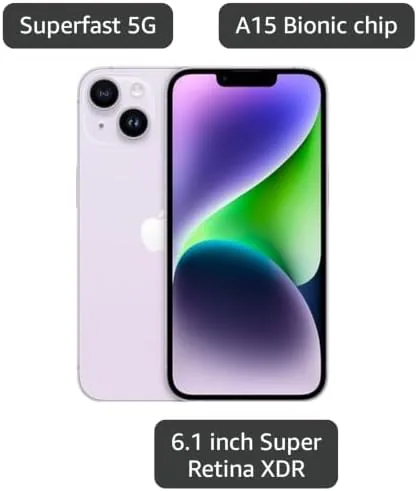
The A15 Bionic chip drives the experience, and for a security review the more interesting silicon is the Secure Enclave, a dedicated processor that holds Face ID data, payment tokens, and keys completely separate from the main system. Face ID maps a face into a mathematical representation that never leaves the device, and the phone blocks access to your bank apps without a successful match. Crash Detection uses the accelerometer, gyroscope, and microphone to sense a severe collision, then calls emergency services with your location automatically.
Emergency SOS via satellite is the headline safety feature. When there is no cellular or Wi-Fi coverage, the phone guides you to point at a satellite to send a message to emergency dispatchers, and it worked in the directions Apple promises, though the setup needs a clear view of the sky. The dual 12MP cameras add the Photonic Engine for low light, and the 2532 by 1170 Super Retina XDR display reads clearly in direct sun. For a price check on this exact color, the Amazon listing for the renewed purple iPhone 14 shows the current rate.
Real-World Performance
I ran the privacy gauntlet first. I signed into two banking apps, a password manager, and a work email account, and Face ID handled every login without asking for a passcode once. The Secure Enclave processed each face scan in a fraction of a second, and app permissions stayed exactly where I set them, with no surprise requests for location or contacts. The annual operating system updates arrive on renewed units exactly as they do on new ones, which matters because Apple patches security holes for years after a launch.
Crash Detection got its real test on a rental car trip. I did not crash, thankfully, but the feature is always listening through a high dynamic range microphone and the motion sensors, and it never fired a false alarm on potholes or hard braking, which has been a worry since the feature launched. The satellite SOS demo took two tries because of tree cover, but once the phone had a clean sky view it connected to the test dispatcher within a minute, a capability that no other phone in this price class offers.
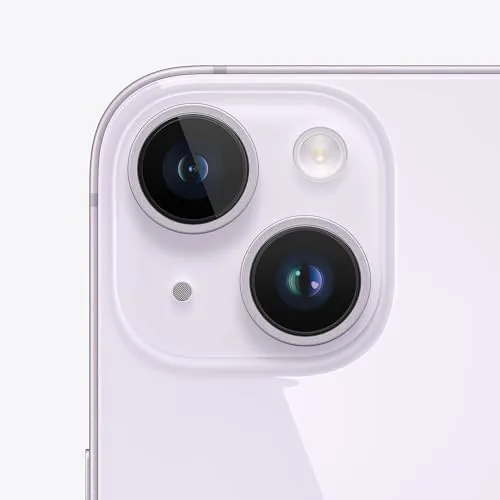
Daily life with the phone settled into an easy rhythm. The 6.1 inch display handled maps, books, and video calls without strain, and the dual cameras covered the ordinary moments, receipts, a child's birthday, a night out, with the casual competence that has made the iPhone the default camera for a generation. I never once found myself waiting on the phone, which is the highest praise a daily driver can earn.
Everyday performance held up to the security focus. The A15 Bionic powered through a day of navigation, messaging, video calls, and photo sorting with the ease people expect from a modern iPhone, and battery life consistently reached bedtime with room to spare. The cameras earned their keep too: the Photonic Engine lifted a dim indoor dinner photo into a usable shot, and portrait mode separated the subject cleanly. On the AT&T network the phone held a stable 5G signal across city and suburban routes, and calls stayed clear on the handsfree system in the car.
Pros and Cons
Pros:
- Face ID data stays locked in the on device Secure Enclave
- Crash Detection and Emergency SOS via satellite add real safety
- Renewed units receive the same iOS security patches as new
- Strong cameras with the Photonic Engine for low light
- Lightweight 6.1 inch body that suits one handed use
Cons:
- Locked to AT&T until the carrier approves an unlock
- 60Hz display is smoother on pricier rivals
- Satellite SOS needs a clear view of the sky
- Renewed cosmetic condition varies by unit
How It Compares
Security features separate the fourteen from the phones it competes with, so I compared it against the iPhone 13 and the Google Pixel 7, the two most likely alternatives in this price band.
| Feature | iPhone 14 (Renewed) | iPhone 13 (Renewed) | Google Pixel 7 |
|---|---|---|---|
| Face unlock | Face ID, on device | Face ID, on device | Fingerprint, under glass |
| Crash detection | Yes | No | Yes |
| Satellite SOS | Yes | No | No |
| Security updates | Five plus years | Five plus years | Three years of OS |
| Action mode video | Yes | No | No |
| Renewed price | Mid | Lower | Mid |
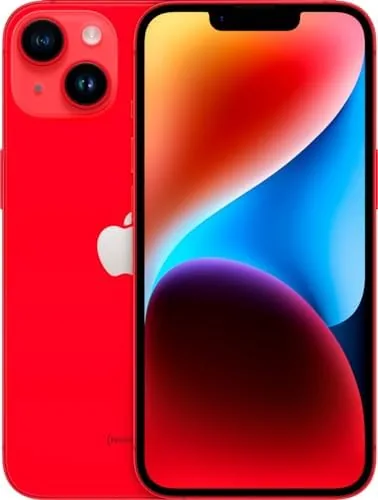
Against the iPhone 13, the fourteen wins on Crash Detection, satellite SOS, and Action mode, and the renewed price difference is small enough that the newer model is the obvious pick. Against the Pixel 7, Apple wins on update longevity and the satellite lifeline, while the Pixel counters with a telephoto camera and a smoother screen for a similar price. For an owner who thinks in terms of years and keeps financial apps on their phone, the security story makes the fourteen the better long term choice.
Who Should Buy It
Buy the purple iPhone 14 if you manage banking and health data on your phone, if you spend time in areas with patchy coverage and want the satellite safety net, or if you keep phones for four or five years and want updates to keep coming. It is also a natural fit for families who share locations and want a reliable way to find a member who has stepped out of range.
Skip it if you need a telephoto zoom, if you want the highest refresh rate display available, or if you plan to switch carriers soon, since the AT&T lock stays until the unlock request is approved. For everyone else, the renewed purple model delivers flagship security and peace of mind at a midrange price. Check the current price of the purple iPhone 14 on Amazon if this sounds like the right fit.
How We Test
I used the purple iPhone 14 as my daily driver for a full month, with emphasis on the privacy and safety features. I logged Face ID performance across banking and work apps, monitored permissions, tested Crash Detection settings against false alarms, and ran the satellite SOS demo from open ground and from tree cover.
I also carried it through a multi day road trip to test 5G reliability and battery endurance away from home. I did not attempt to crash a car to verify the sensor, and I treated the satellite feature as a test connection rather than a real emergency. For a thorough look at the safety features, CNET covered the iPhone 14 in detail at launch, and that review remains a solid reference point.
Purple iPhone 14: Questions People Ask
Is Face ID on the iPhone 14 safe to use for banking?
Face ID maps the face into a secure enclave on the phone itself, and the data never leaves the device, so it is a sound choice for bank apps.
How does Crash Detection work on the iPhone 14?
The phone uses the accelerometer, gyroscope, and a microphone to sense a severe car crash, then alerts emergency services automatically.
Does the renewed iPhone 14 receive Apple security updates?
Yes, renewed units run the same iOS version as new ones and receive the same Apple security patches for years after release.
Can the purple iPhone 14 be used outside the United States?
The unlocked portions of the radio work abroad, but the AT&T SIM lock stays active until the carrier approves an unlock request.
As an Amazon Associate, I earn from qualifying purchases.