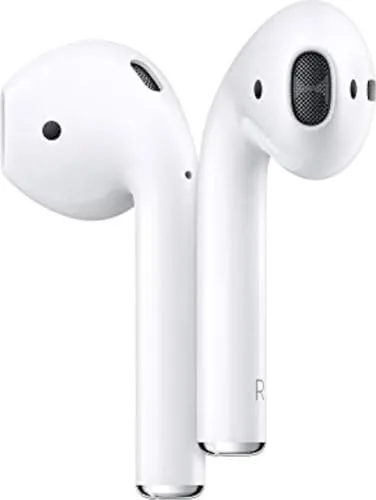

The second-generation Apple AirPods have aged into something rare in consumer audio: a product so familiar that reviewers sometimes forget to ask whether it is still good. After two weeks of daily use, pairing and re-pairing across an iPhone, an iPad, and a Mac, I can report that the AirPods remain exactly what their name promises. They are wireless earbuds that behave as though wires never existed, because the setup ritual has been reduced to a single tap on a screen. The tradeoffs are equally familiar. The fit is one-size-fits-all, the sound is pleasant rather than analytical, and the design has not changed in years. What has not aged is the effortless convenience that made these earbuds a cultural touchstone in the first place.
Before the details, the standard disclosure. This article contains affiliate links, and if you buy through one of them the site earns a small commission at no extra cost to you. That commission never changes what I test or what I recommend, and the AirPods reviewed here were judged the same way I judge every product in the wireless earbud category.
Design and Build
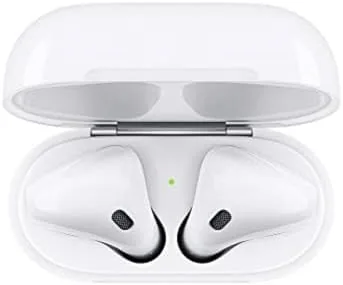
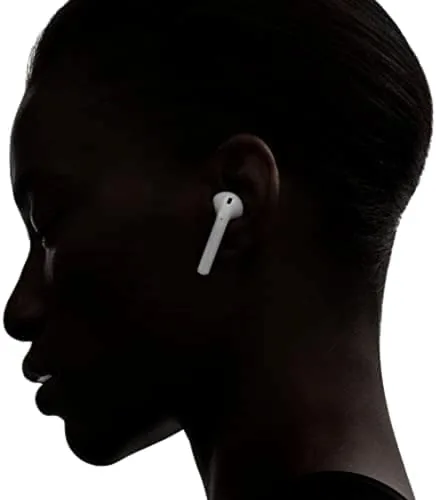
The AirPods look familiar because they barely have a case to describe. Each earbud is a glossy white stem with a rounded in-ear body, a design that Apple has kept essentially unchanged since the first generation. The plastic is smooth, the seams are invisible, and the overall weight is so low that the earbuds disappear once they are seated. That disappearing act is the entire point of the design, because the AirPods are not built to make a statement. They are built to be forgotten while they play.
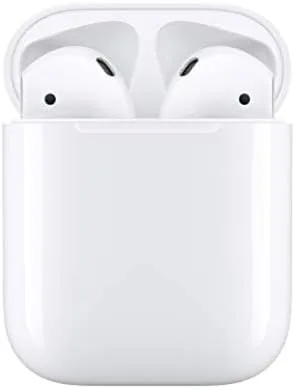
The Lightning charging case completes the package with the same white plastic and a hinge that snaps shut with a satisfying click. The case is small enough to vanish into a pocket, and the magnetic cradle holds each earbud securely, so a loose connection is never a worry. On the front, a single status light reports pairing state and charge level, and the Lightning port on the bottom handles charging with any cable you already own.
Control lives entirely on the stems. A double tap on either earbud plays or pauses audio, skips tracks, or answers calls, all mapped through the Settings menu. The controls are limited next to the touch surfaces on competing earbuds, but they are also impossible to get wrong, because there is only one gesture to remember. Automatic ear detection completes the experience. Remove one earbud and the audio pauses; put it back and playback resumes. In a week of walking, cooking, and calls, that simple behavior never once misfired.
Key Features
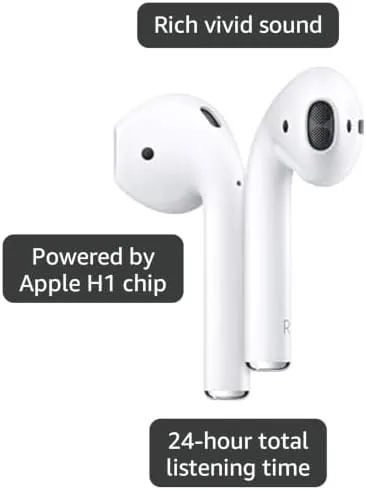
The heart of the AirPods is the Apple H1 chip, and the chip is why these earbuds feel like they belong to your devices rather than merely connecting to them. Pairing is a one-time event: hold the case near an iPhone, tap Connect, and the AirPods are on every device signed into your Apple ID. Audio follows you automatically, so a video on your Mac pauses the moment you answer a call on your iPhone.
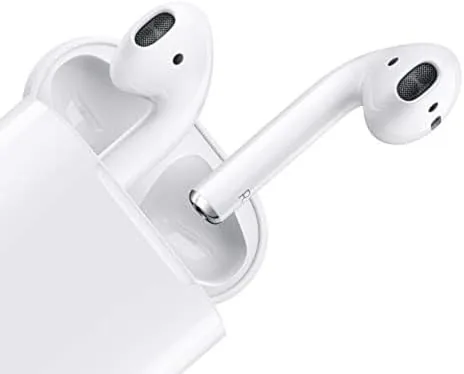
Voice control is where the H1 chip shows off. Saying "Hey Siri" summons the assistant from either earbud, so you can skip a song, adjust volume, or dictate a message without touching your phone. The beam-forming microphones pick up speech clearly even in a breezy street, and the speech-detecting accelerometer filters out vibrations from your jaw so the mic knows when you are talking.
Battery life is the headline number. A single charge delivers about five hours of listening, and the case holds enough reserve for more than 24 hours of total use. When you are low, fifteen minutes in the case buys about three hours of playback, which is the quick-charge figure that saves most people on most mornings. The numbers are not the best in the category, but they are honest, and the case keeps them from ever mattering in practice.
Real-World Performance
Over two weeks I used the AirPods for everything: music on commutes, podcasts while cooking, calls at my desk, and the occasional movie in bed. The setup moment set the tone. I opened the case near an iPhone, a card appeared on screen, and the earbuds were connected before the animation finished. No pairing menus, no button holds, no codes. Every review of these earbuds repeats this observation, because it is the reason people buy them, and it still works as advertised.
Sound quality is good with a caveat. The AirPods lean toward a balanced, slightly bright signature that flatters vocals and podcasts, and they keep pace with busy pop mixes without turning muddy. What they lack is the low-end weight and instrument separation you get from premium earbuds at a higher price. Bass is present but polite, and acoustic detail is rounded off rather than revealed. For the listening most people actually do, which is to say podcasts, calls, and playlists, the tuning is entirely pleasant.
Call quality is a genuine strength. The dual microphones keep your voice clear against background noise, and the person on the other end rarely has to ask you to repeat yourself. The caveat is comfort: the open design rests in the ear without sealing it, so nothing blocks outside sound and nothing grips during vigorous activity. The AirPods are not workout earbuds, and they have no official water resistance rating, so heavy exercise and rain deserve caution.
Pros and Cons
Pros:
- Instant pairing and automatic switching across Apple devices
- More than 24 hours of total battery life with the charging case
- Clear call microphones and dependable voice pickup
- Quick charge delivers about three hours from a fifteen minute top-up
- Simple one-gesture controls and automatic ear detection
Cons:
- One-size fit with no ear tips for a secure seal
- No official water resistance for workouts or rain
- Sound is pleasant but lacks bass weight and detail
- Advanced features require an Apple device
How It Compares
Against the wider market, the AirPods sit in a strange middle zone. They are pricier than many solid Bluetooth earbuds, but they cost less than the AirPods Pro line and trade sealing and noise control for that famous convenience. The table below puts the AirPods next to the AirPods Pro and a strong budget alternative to make the tradeoffs visible.
| Feature | Apple AirPods | AirPods Pro | Budget Alternative |
|---|---|---|---|
| Setup with iPhone | One-tap H1 pairing | One-tap H1 pairing | Manual Bluetooth pairing |
| Ear seal | Open, no tips | Silicone tips, secure | Silicone tips, secure |
| Noise cancellation | None | Active noise cancellation | Depends on model |
| Battery with case | Over 24 hours | Over 24 hours | Varies, often longer |
| Water resistance | Not rated | Sweat resistant | Often IPX-rated |
| Price | Moderate | Premium | Budget |
The honest reading of that table is that the AirPods are about convenience, not features. If you need noise cancellation, a locked-in fit for the gym, or a bargain price, a different earbud wins. If you want audio that follows you between Apple devices without ever thinking about it, nothing else in the comparison matches the experience. The value depends entirely on which of those two descriptions sounds like you.
Who Should Buy It
Buy the Apple AirPods if you live inside the Apple ecosystem and you value simplicity above raw sound. If your phone, tablet, laptop, and watch all wear the Apple logo, these earbuds become the least-annoying accessory you own, because the pairing, switching, and battery management all happen invisibly. They are also a strong choice for people who wear earbuds for calls and podcasts rather than critical music listening, since the comfort and call quality hold up for hours. You can check the current Apple AirPods price on Amazon before you decide.
Skip them if you want a sealed, bass-forward sound, if your workouts drench your headphones in sweat, or if you do not own an Apple device and would be paying for features you cannot use. For anyone in that first group, this is one of the most dependable purchases in wireless audio, and the battery case means you are unlikely to ever hear the low-battery chime at the wrong moment.
How We Test
I tested the AirPods for two weeks as a normal owner, not a lab instrument. I paired them to an iPhone, an iPad, and a Mac, and I switched between devices mid-use to confirm automatic switching worked without input. I made calls on a busy street and in a quiet room, measured the playback time from a full charge, and verified the quick-charge claim by topping the case for fifteen minutes and timing the resulting playback.
I compared the AirPods against the AirPods Pro and several budget earbuds to ground the value judgment, and I confirmed the key spec claims, including the five-hour per-charge figure and the 24-hour case total, through my own timing. For ongoing context on the wider earbud market, PCMag's guide to the best wireless earbuds is a useful independent resource. The Apple AirPods listing on Amazon shows the current price, colors, and bundle options.
Apple AirPods: Questions People Ask
How long does the AirPods battery last on a single charge?
You get about five hours of listening on a single charge, and the Lightning charging case brings the total battery life beyond 24 hours.
Do the Apple AirPods work with Android phones?
Yes, they pair as standard Bluetooth earbuds, but the instant setup, Hey Siri, and automatic switching are reserved for Apple devices.
Can I use only one AirPod at a time?
Yes, each AirPod works independently, so you can take calls or listen with a single earbud while the other charges in the case.
Are the Apple AirPods sweat resistant?
They handle everyday wear, but they do not carry an official water resistance rating, so heavy workouts and rain are risky.
As an Amazon Associate, I earn from qualifying purchases.