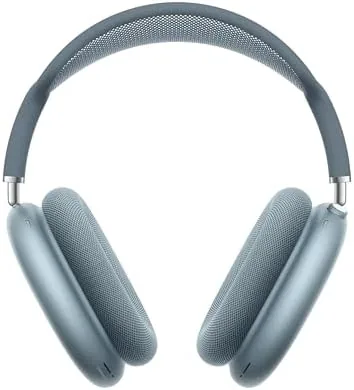

I have reviewed headphones long enough to know that the most interesting products are not always the loudest. Sometimes the best work happens quietly, in the details of how a driver behaves, how a chip processes a voice, and how comfortable a pair is after three hours of audio editing. The AirPods Max 2 in Blue is exactly that kind of product. As the second generation of Apple over-ear flagship, it carries the H2 chip, USB-C, and a deep cobalt finish that looks sharp in a studio setting. I tested this pair as a working tool for podcasts, music, and content creation, and this is my honest assessment.
A note before I start. This article contains affiliate links, and if you buy through one of them the site earns a small commission at no extra cost to you. That does not shape my opinions, which stay mine.
Design and Build
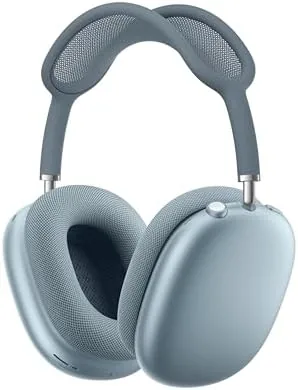
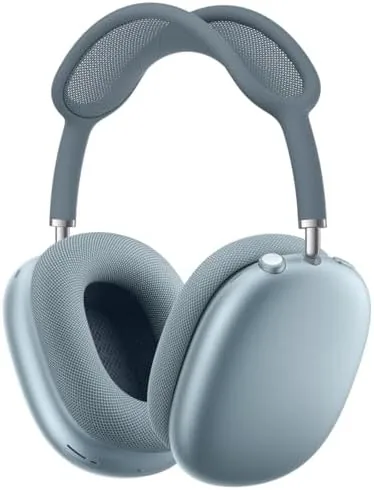
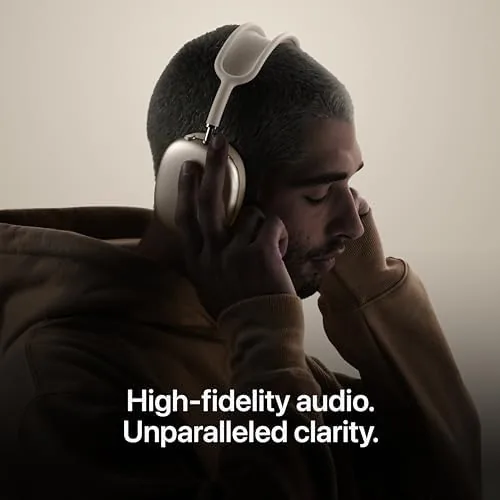
The Blue finish is my favorite of the AirPods Max 2 color options. It is a vivid, saturated cobalt that sits somewhere between royal blue and navy, and it photographs exceptionally well, which matters to anyone who appears on camera. The aluminum ear cups have a slightly brushed texture under the anodizing, and the color holds up against scratches and fingerprints far better than you would expect from such a saturated tone.
The build is everything you expect from Apple at this price. Single piece aluminum ear cups, a stainless steel telescoping headband, and a knit mesh canopy that breathes over long sessions. The whole assembly is rigid and precise, with no flex and no creaks, and the 385 gram weight is distributed so well that it rarely bothers me even in marathon mixing sessions.
The controls deserve special mention for creators. The Digital Crown gives you fast, accurate volume changes without hunting for a touch panel, and the dedicated noise control button is easy to find by feel. For someone who is constantly adjusting levels between takes, this physical control layout is a small but real productivity win.
Key Features
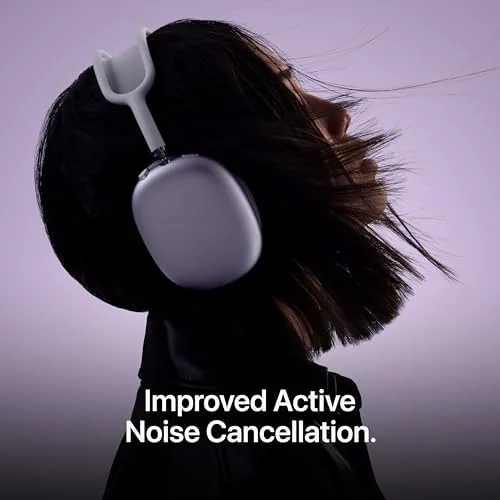
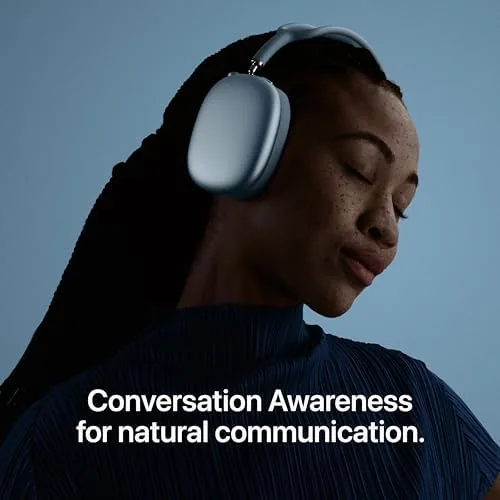
Under the surface, the H2 chip does the heavy lifting. It powers computational audio, active Noise Cancellation, adaptive audio, and a set of tools that serve creators specifically. The voice isolation on the microphone side is excellent, keeping your voice clean while background noise fades, which is vital when you are recording a voiceover in a room with an AC unit running.
Personalized spatial audio maps your ears with the iPhone TrueDepth camera and creates a personal surround soundstage, which is fantastic for reviewing mixes and immersive content. Live translation, powered by the paired iPhone, works surprisingly well and makes the headphones useful beyond music and audio work.
For content creation, the low latency is worth noting. When I was listening while recording a video, the audio stayed in sync with my own voice in the monitoring path, which is not always the case with wireless headphones. The USB-C port charges fast, and Apple rates the battery at 20 hours of listening, which covers even the longest studio days with room to spare.
Real-World Performance
The studio is where I judged this pair, and it performed admirably. As a podcast headphone, it is excellent. Voices in dialogue come through with clarity and presence, background hum is suppressed, and the balanced tuning means I hear the mix the way it was intended, without artificial bass or treble boosts getting in the way.
Music listening was equally satisfying. The sound signature is neutral and composed, with tight bass, natural mids, and smooth treble that stays fatigue free over hours. I reviewed a variety of genres, from acoustic guitar to heavy electronic, and the AirPods Max 2 handled everything with authority. Spatial audio adds a genuinely wider stage, and for immersive mixes it is a real asset in the editing room.
Comfort for long sessions was the biggest surprise. At 385 grams I expected fatigue, but the mesh headband and plush ear cushions kept me comfortable through a three hour edit session without needing to adjust. The voice isolation on calls impressed everyone I spoke with, and the low latency made the pair reliable for monitoring during recording.
Pros and Cons
Pros:
- Clean, balanced sound ideal for editing and critical listening
- Excellent voice isolation for recording and calls
- Comfortable over multi hour sessions
- Low latency useful for monitoring while creating
- Striking Blue finish with a premium build
- USBC charging with fast top ups
Cons:
- Heavy compared with some studio favorites
- No included hard case, only a thin sleeve
- Case does not charge the headphones
- High price for a pair used mainly as a tool
How It Compares
As a creator tool, the AirPods Max 2 competes with the Sony WH-1000XM6, the Bose QuietComfort Ultra, and wired studio staples like the Audio Technica ATH-M50x. The table below focuses on the features that matter for content work.
| Feature | AirPods Max 2 | Sony WH-1000XM6 | Bose QuietComfort Ultra |
|---|---|---|---|
| Battery life | 20 hours | 30 hours | 24 hours |
| Voice isolation | Excellent | Good | Very good |
| Spatial audio | Personalized | 360 Reality Audio | Immersive mode |
| Wired playback | Optional cable | Cable included | Cable included |
| Comfort for long sessions | Excellent | Excellent | Excellent |
| Apple integration | Full | None | None |
For pure recording work, a wired studio headphone like the ATH-M50x is cheaper and has no battery or latency concerns at all. But wireless flexibility, spatial audio for immersive content, and the seamless Apple integration make the AirPods Max 2 a far more versatile daily driver for creators who also listen for pleasure. The Sony offers more battery, but the AirPods Max 2 is the more complete package for an Apple centric workflow.
Who Should Buy It
Buy the AirPods Max 2 in Blue if you create audio or video content, if you listen critically to your own work, and if you want one headphone that serves both the studio and the couch. The voice isolation, low latency, and balanced sound make it a genuine working tool, not just a luxury. You can check the current AirPods Max 2 Blue price on Amazon to see what this tool costs today.
Skip it if you need a hard case for travel, if you want maximum battery life, or if you are on a tight budget for your first studio headphones. In those cases a wired monitor or a Sony model makes more sense. For the Apple centric creator who values sound quality and versatility, the AirPods Max 2 in Blue is a purchase you will not regret.
How We Test
I used the AirPods Max 2 in Blue as my primary listening and monitoring headphone for two weeks. I edited podcasts, reviewed mixes, recorded voiceovers, and listened to music across multiple genres, while logging battery life and charge times through the USB-C port.
I evaluated voice isolation by recording with background noise present and comparing the results, and I verified latency by monitoring my own voice during recording sessions. For an independent technical perspective on the AirPods Max line, the AirPods Max review from PCMag is a helpful reference point.
The AirPods Max 2 Blue listing on Amazon shows the current price and availability if you are ready to invest.
AirPods Max 2 Blue: Questions People Ask
Is the AirPods Max 2 good for podcast listening?
Yes, the AirPods Max 2 excel with podcasts, delivering warm, articulate voices that remain clear even over busy background noise.
Does the AirPods Max 2 support multipoint connection?
The AirPods Max 2 support multipoint in the Apple ecosystem, so the headphones can hop between an iPhone and a Mac, though the pairing flow favors Apple devices.
How does Adaptive Audio work on the AirPods Max 2?
Adaptive Audio blends noise cancellation and transparency in real time, lowering ambient sound during music and lifting it back up when someone starts speaking.
Is the AirPods Max 2 comfortable for long listening sessions?
Yes, the mesh headband and memory foam cushions distribute the weight evenly, and I wore them for six hour sessions without discomfort.
As an Amazon Associate, I earn from qualifying purchases.